> ## Documentation Index
> Fetch the complete documentation index at: https://docs.starfort.io/llms.txt
> Use this file to discover all available pages before exploring further.
# Author a Guard Policy
> Create, edit, and assign Guard Policies on a Guardian — and understand versioning.
A [Guard Policy](/en/v1.2/concepts/guard-policy) is what a Guardian enforces. This page covers the mechanics shared by PII and Topic policies. For step-by-step recipes see [Add a customized PII policy](/en/v1.2/admin/how-to/add-pii-policy) and [Add a customized Topic policy](/en/v1.2/admin/how-to/add-topic-policy).
## Create & assign
Open your Guardian → **Policies**. Policies are assigned per process type, in **Input Policies** and **Output Policies** slots. Choose **Add** → **Create & Assign Policy**, give it a name and a **Policy Type** (PII or Topic). The new policy starts at version `v0.1.0`.
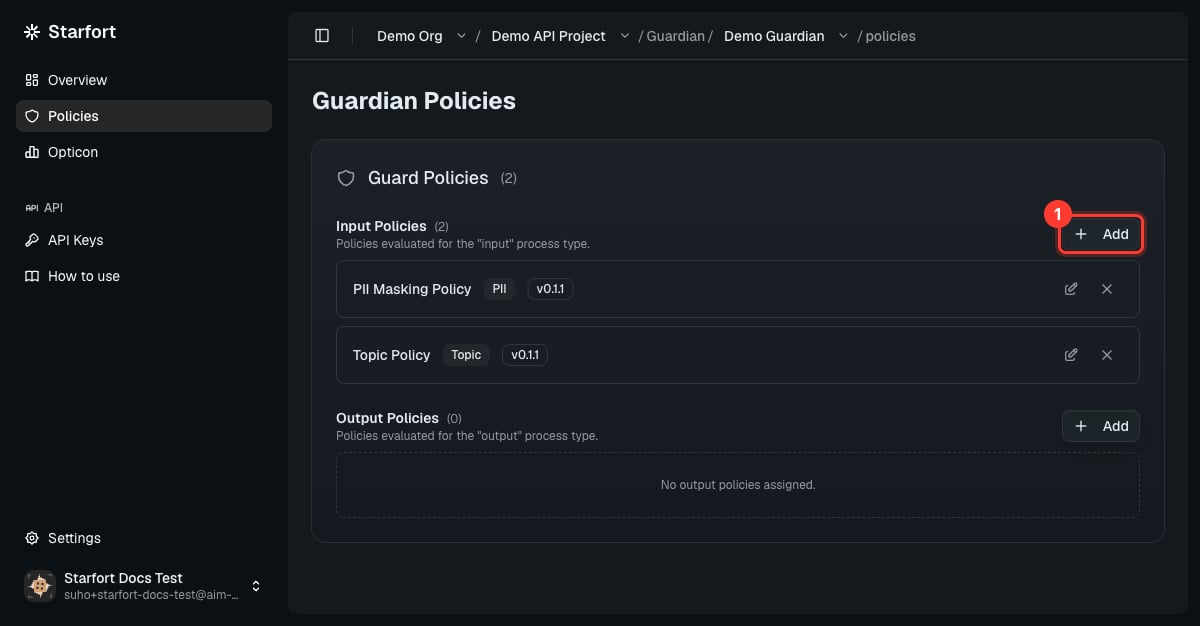 A single slot can hold **multiple policy modules** — e.g. two PII policies, or a PII policy **and** a Topic policy on `input`. The Guardian evaluates every assigned module. You can only combine policies of the **same Policy Type** within a group, and a policy's **Policy Type is fixed at creation**. Slots are organized **per process type** — a Desktop Agent Guardian exposes its Input/Output sections, while an API Guardian exposes every process type the preset declares.
## Edit the rules
The policy editor offers two ways to define rules:
* **Add** — a guided form for one rule at a time (**NER Entity**, **Regular Expression**, or **Keyword** for PII).
* **JSON** — paste/edit the whole policy as JSON. Allowed top-level keys are `ner`, `regex`, `keyword` (PII). The editor validates before saving.
A single slot can hold **multiple policy modules** — e.g. two PII policies, or a PII policy **and** a Topic policy on `input`. The Guardian evaluates every assigned module. You can only combine policies of the **same Policy Type** within a group, and a policy's **Policy Type is fixed at creation**. Slots are organized **per process type** — a Desktop Agent Guardian exposes its Input/Output sections, while an API Guardian exposes every process type the preset declares.
## Edit the rules
The policy editor offers two ways to define rules:
* **Add** — a guided form for one rule at a time (**NER Entity**, **Regular Expression**, or **Keyword** for PII).
* **JSON** — paste/edit the whole policy as JSON. Allowed top-level keys are `ner`, `regex`, `keyword` (PII). The editor validates before saving.
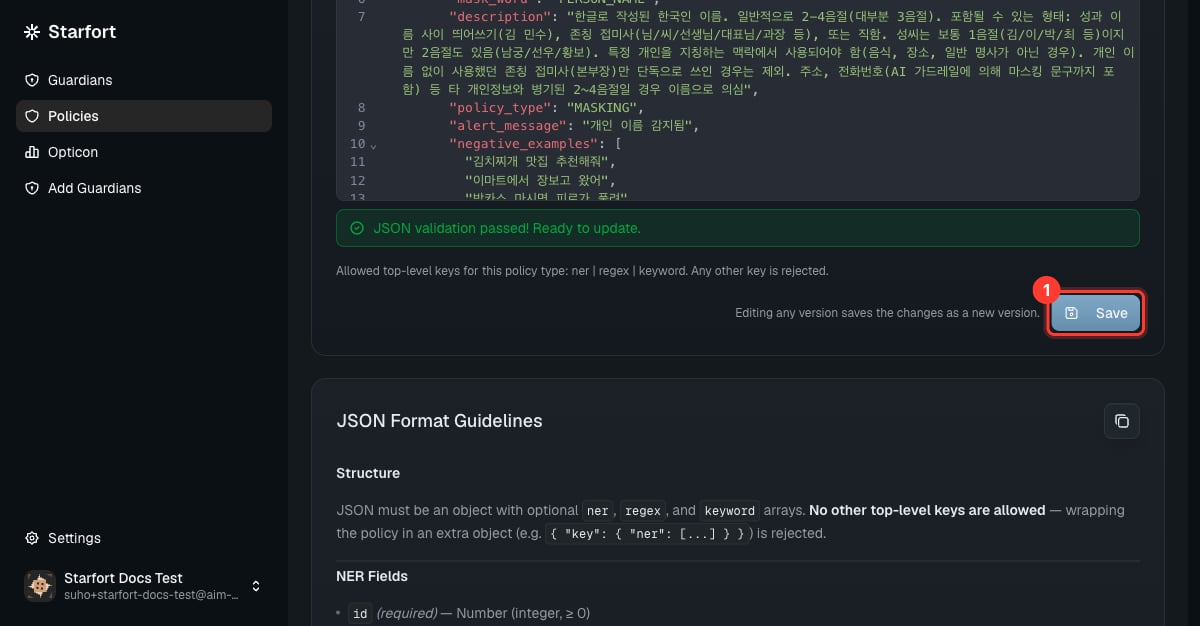 The JSON editor is the fastest way to load a complete policy — for example Starfort's default PII set. See [Add a customized PII policy](/en/v1.2/admin/how-to/add-pii-policy).
## Versioning — the important part
A new policy starts at version `0.1.0` (fixed — you can't pick the initial number). Editing a policy's rules **saves a new version**. The version number only has to be **unique** for that policy — it need not be higher than the last one, so you can publish out of order or fill in between numbers; only duplicate numbers are rejected.
**Save ≠ apply.** Saving a version does nothing on its own. The Guardian keeps enforcing the version that is **pinned** to it until you explicitly re-point it — pinning never moves on its own when a new version appears.
So after editing, **re-apply (pin) the new version** to the Guardian, or your change won't take effect. Full steps: [Version & apply a policy update](/en/v1.2/admin/how-to/version-and-apply-policy).
The JSON editor is the fastest way to load a complete policy — for example Starfort's default PII set. See [Add a customized PII policy](/en/v1.2/admin/how-to/add-pii-policy).
## Versioning — the important part
A new policy starts at version `0.1.0` (fixed — you can't pick the initial number). Editing a policy's rules **saves a new version**. The version number only has to be **unique** for that policy — it need not be higher than the last one, so you can publish out of order or fill in between numbers; only duplicate numbers are rejected.
**Save ≠ apply.** Saving a version does nothing on its own. The Guardian keeps enforcing the version that is **pinned** to it until you explicitly re-point it — pinning never moves on its own when a new version appears.
So after editing, **re-apply (pin) the new version** to the Guardian, or your change won't take effect. Full steps: [Version & apply a policy update](/en/v1.2/admin/how-to/version-and-apply-policy).
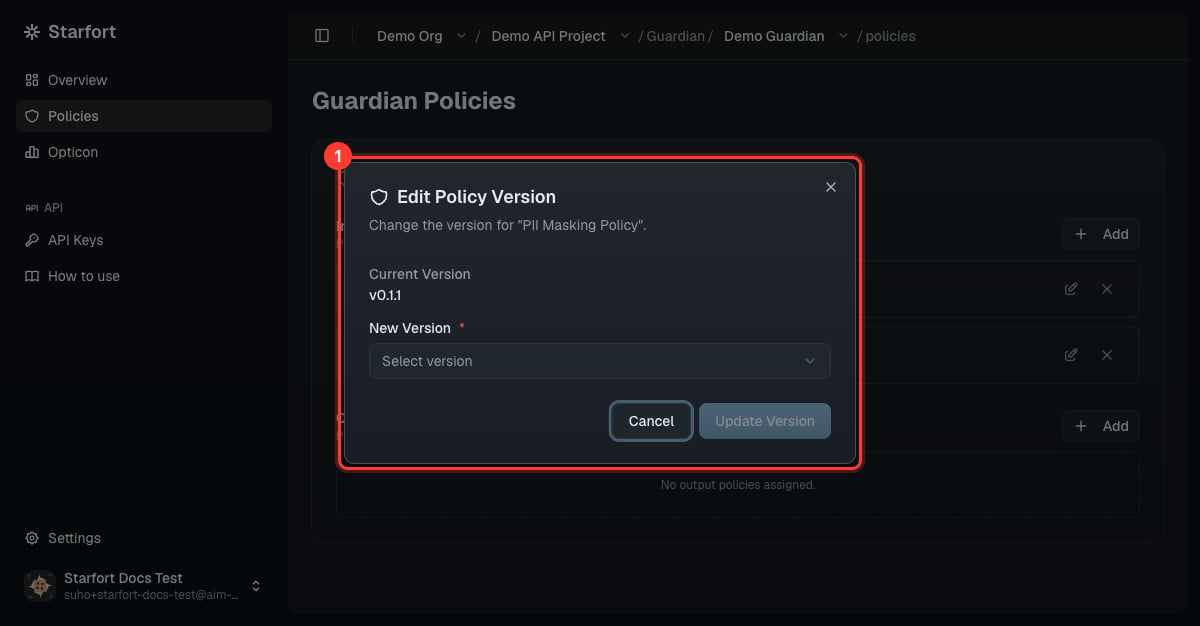 If you open a policy from the Guardian's own assigned-policy card and save a new version, the editor offers a choice — **apply to this Guardian now** or **save only**. Applying updates the pin for **that one Guardian**; other Guardians using the same policy keep their own pins.
To **delete** a policy, first remove it from every Guardian it's assigned to — a policy that's still in use can't be deleted.
If you open a policy from the Guardian's own assigned-policy card and save a new version, the editor offers a choice — **apply to this Guardian now** or **save only**. Applying updates the pin for **that one Guardian**; other Guardians using the same policy keep their own pins.
To **delete** a policy, first remove it from every Guardian it's assigned to — a policy that's still in use can't be deleted.