> ## Documentation Index
> Fetch the complete documentation index at: https://docs.starfort.io/llms.txt
> Use this file to discover all available pages before exploring further.
# How to add a customized Control Profile
> Create a Control Profile that tells the Desktop Agent which AI service to govern and how.
A [Control Profile](/en/v1.2/admin/control-profiles) defines an AI service for the Desktop Agent. This recipe creates one from scratch.
## 1. Create the profile
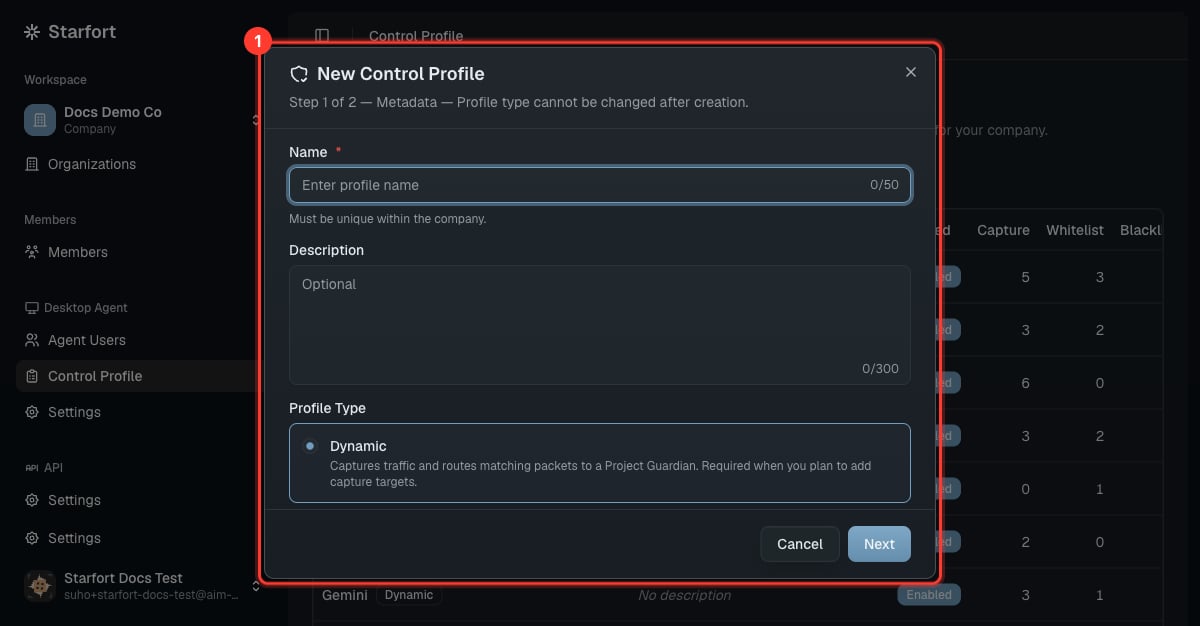
Open **Desktop Agent › Control Profile** → **Add**. Give it a name (e.g. the AI service) and description.
 ## 2. Define the three mechanisms
| Mechanism | What to put | Effect |
| ------------------------------ | ----------------------------------- | --------------------------------------------------------- |
| **Guardian targets** (capture) | the service's request URLs/patterns | the Agent intercepts these and sends them to the Guardian |
| **Matching whitelist** | requests to always allow | skipped (passed through) |
| **URL blacklist** | URLs to block outright | blocked without evaluation |
* Add at least one **Guardian target** to make the profile **Dynamic** (it can evaluate with a Guardian).
* With only whitelist/blacklist and no targets, the profile is **Static** (filters only, no Guardian call).
This Static/Dynamic type is **fixed at creation** and can't be changed later — if you need to switch, create a new profile. Each entry `id` must be unique within its mechanism (the editor validates on save). Guardian-target entries also carry per-target options such as `checkOutput`, `unmaskOutput`, `opticonLoggingEnabled`, and `userNotificationEnabled` — see the rule schema in the [glossary](/en/v1.2/concepts/glossary).
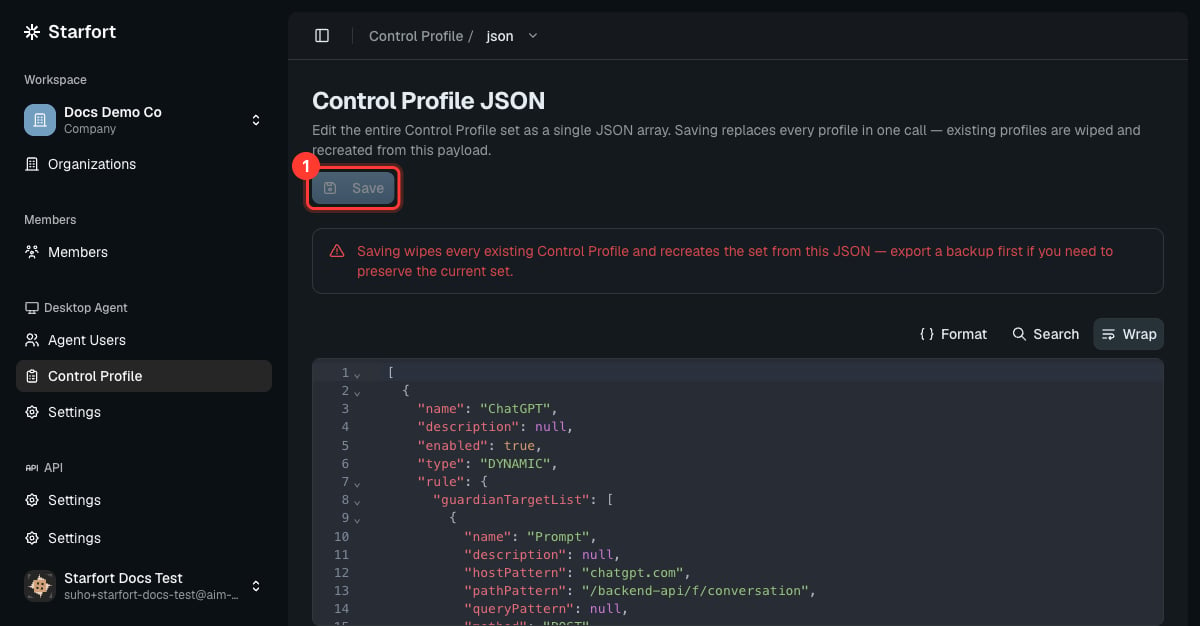
Use the **JSON** view to edit all three mechanisms precisely:
```json theme={null}
{
"guardianTargetList": [ { "hostPattern": "*.example-ai.com", "pathPattern": "/api/chat", "method": "POST" } ],
"matchingWhitelist": [ { "hostPattern": "*.example-ai.com", "pathPattern": "/health" } ],
"urlBlacklist": [ ]
}
```
## 2. Define the three mechanisms
| Mechanism | What to put | Effect |
| ------------------------------ | ----------------------------------- | --------------------------------------------------------- |
| **Guardian targets** (capture) | the service's request URLs/patterns | the Agent intercepts these and sends them to the Guardian |
| **Matching whitelist** | requests to always allow | skipped (passed through) |
| **URL blacklist** | URLs to block outright | blocked without evaluation |
* Add at least one **Guardian target** to make the profile **Dynamic** (it can evaluate with a Guardian).
* With only whitelist/blacklist and no targets, the profile is **Static** (filters only, no Guardian call).
This Static/Dynamic type is **fixed at creation** and can't be changed later — if you need to switch, create a new profile. Each entry `id` must be unique within its mechanism (the editor validates on save). Guardian-target entries also carry per-target options such as `checkOutput`, `unmaskOutput`, `opticonLoggingEnabled`, and `userNotificationEnabled` — see the rule schema in the [glossary](/en/v1.2/concepts/glossary).
Use the **JSON** view to edit all three mechanisms precisely:
```json theme={null}
{
"guardianTargetList": [ { "hostPattern": "*.example-ai.com", "pathPattern": "/api/chat", "method": "POST" } ],
"matchingWhitelist": [ { "hostPattern": "*.example-ai.com", "pathPattern": "/health" } ],
"urlBlacklist": [ ]
}
```
 ## 3. Enable & scope
Enable the profile, and ensure it's active for the Desktop Agent project that should use it. Assigned [Agent Users](/en/v1.2/admin/agent-users) pick it up automatically, and any later edit to the profile **cascades automatically** to every project and Guardian using it — no re-assign step.
A **Dynamic** profile only actually calls a Guardian once it's **mapped to a Project Guardian** (done when you [register the Guardian](/en/v1.2/admin/register-guardian) or in its settings). Until then its Guardian targets are logged in Opticon but not evaluated.
## 3. Enable & scope
Enable the profile, and ensure it's active for the Desktop Agent project that should use it. Assigned [Agent Users](/en/v1.2/admin/agent-users) pick it up automatically, and any later edit to the profile **cascades automatically** to every project and Guardian using it — no re-assign step.
A **Dynamic** profile only actually calls a Guardian once it's **mapped to a Project Guardian** (done when you [register the Guardian](/en/v1.2/admin/register-guardian) or in its settings). Until then its Guardian targets are logged in Opticon but not evaluated.
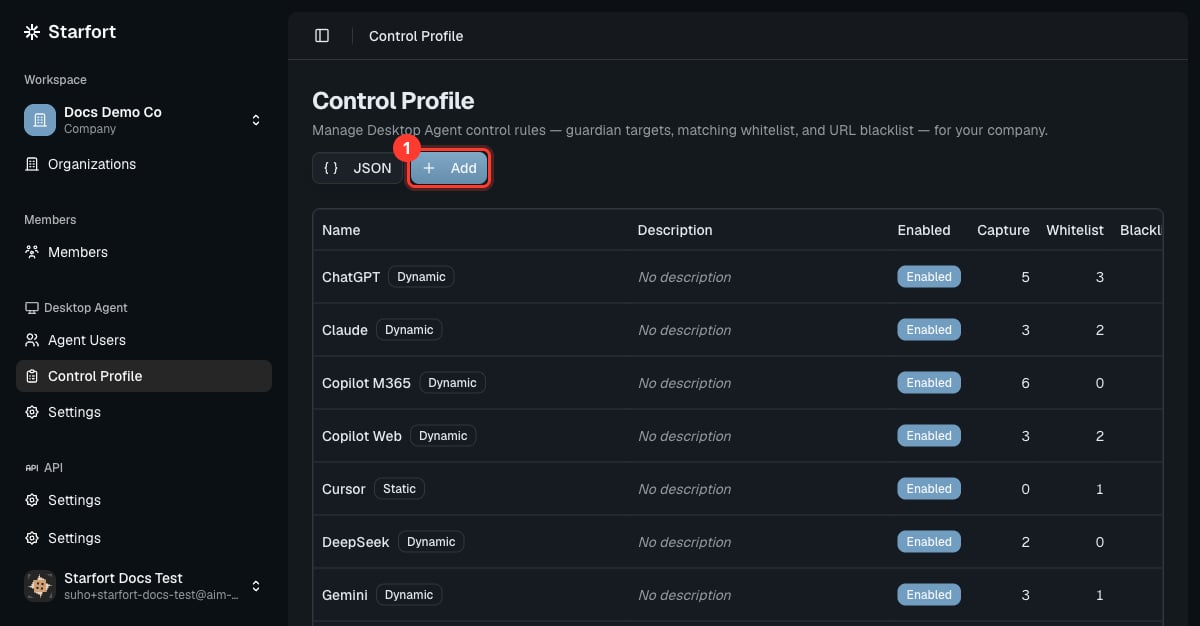 Start from one of the **seeded** profiles (ChatGPT, Claude, …) — duplicate and adjust rather than building from zero. See [Add / change / remove an AI service](/en/v1.2/admin/how-to/manage-ai-services).