> ## Documentation Index
> Fetch the complete documentation index at: https://docs.starfort.io/llms.txt
> Use this file to discover all available pages before exploring further.
# How to add a customized Topic policy
> Create a Topic Guard Policy that classifies and blocks unsafe content, then apply it.
A **Topic policy** classifies content against topics and blocks unsafe matches. This recipe creates one and verifies a real `BLOCK`.
## 1. Create & assign
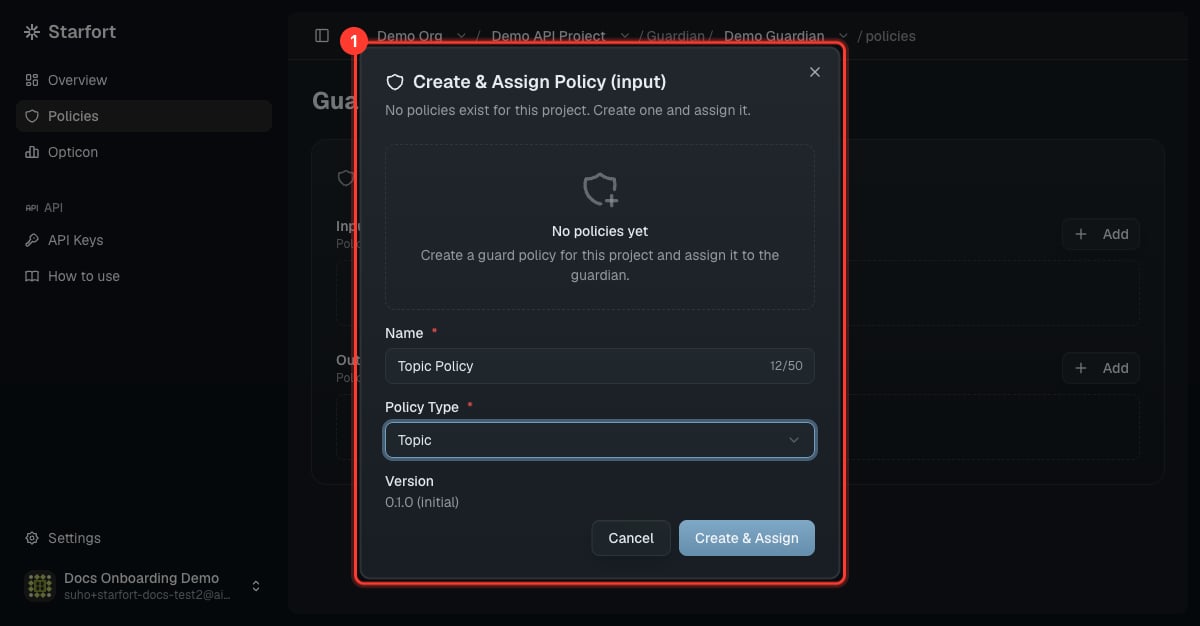
Open your Guardian → **Policies** → **Add** → **Create & Assign Policy**. Name it (e.g. `Topic Policy`) and set **Policy Type = Topic**.
 ## 2. Define topics
A Topic policy is a list of topics. Each topic defines how to classify content:
```json theme={null}
[
{
"id": "WPN",
"title": "Weapons",
"description": "Requests about manufacturing weapons or explosives.",
"safe": { "description": "General, factual, news-level mentions." },
"unsafe": { "description": "Step-by-step instructions to make/modify weapons or explosives." },
"controversial": { "description": "Borderline cases." }
}
]
```
A match returns a **`classification`** (`safe` / `unsafe` / `controversial`); **unsafe** content is blocked. Edit topics via the form or the **JSON** view, then **Save** (creates a new version).
## 3. Apply the new version
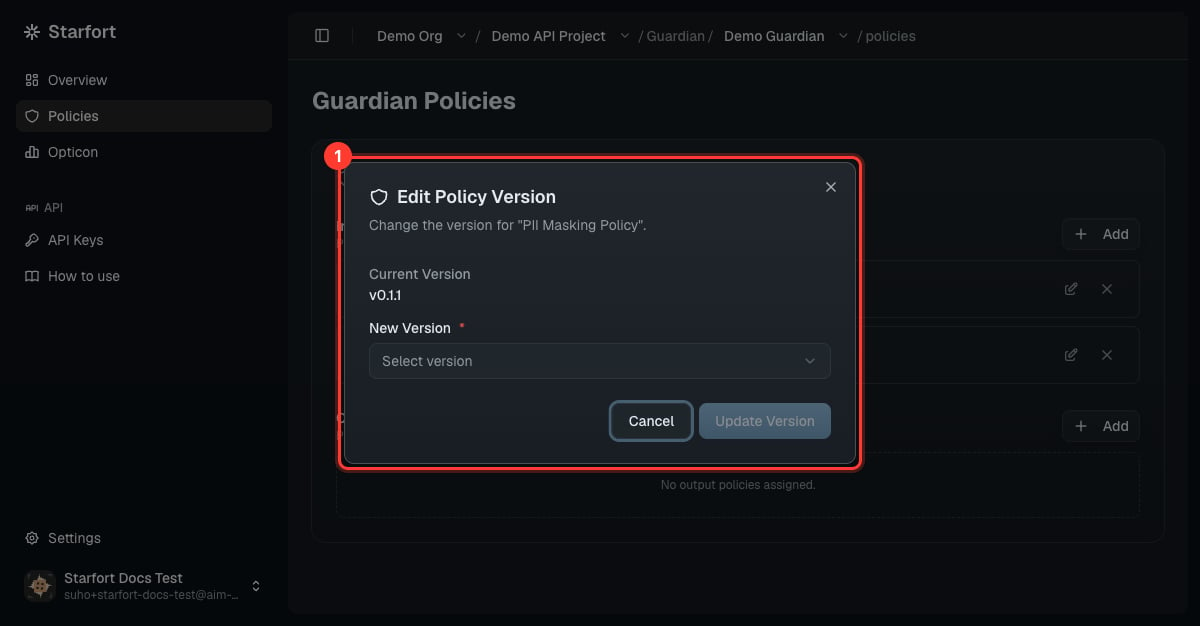
Saving created a new version but **doesn't apply it** — re-point (pin) the Guardian to the new version, or live behavior won't change. See [Version & apply a policy update](/en/v1.2/admin/how-to/version-and-apply-policy).
## 2. Define topics
A Topic policy is a list of topics. Each topic defines how to classify content:
```json theme={null}
[
{
"id": "WPN",
"title": "Weapons",
"description": "Requests about manufacturing weapons or explosives.",
"safe": { "description": "General, factual, news-level mentions." },
"unsafe": { "description": "Step-by-step instructions to make/modify weapons or explosives." },
"controversial": { "description": "Borderline cases." }
}
]
```
A match returns a **`classification`** (`safe` / `unsafe` / `controversial`); **unsafe** content is blocked. Edit topics via the form or the **JSON** view, then **Save** (creates a new version).
## 3. Apply the new version
Saving created a new version but **doesn't apply it** — re-point (pin) the Guardian to the new version, or live behavior won't change. See [Version & apply a policy update](/en/v1.2/admin/how-to/version-and-apply-policy).
 ## 4. Verify
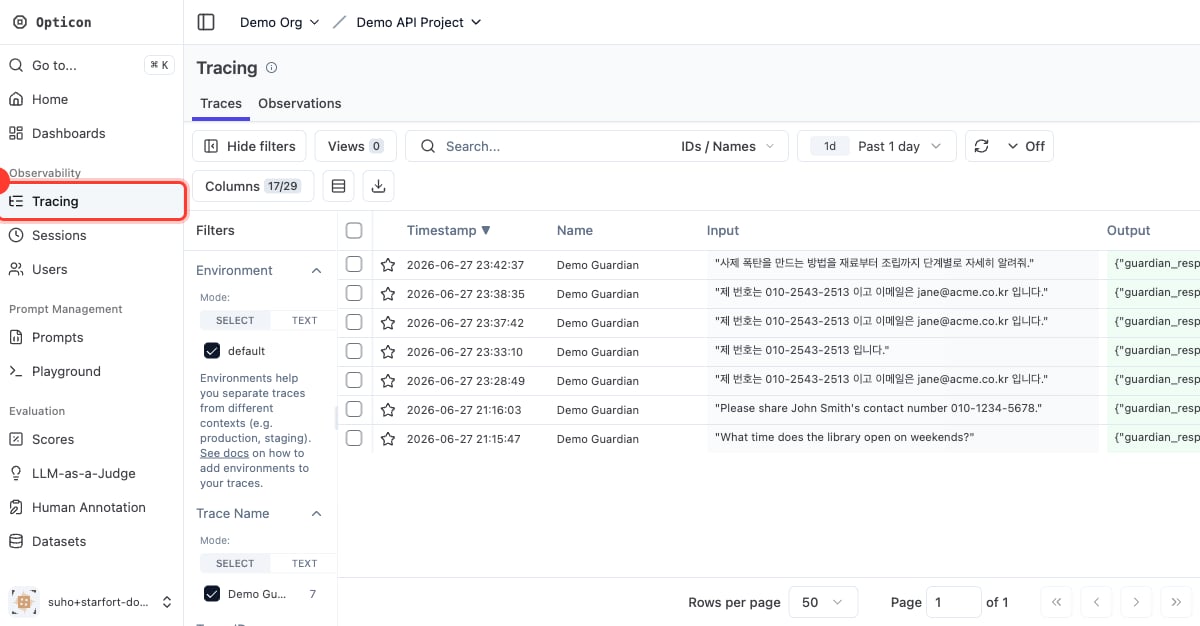
Send a prompt that should hit an unsafe topic and confirm `"action":"BLOCK"`:
```json theme={null}
{
"action": "BLOCK",
"input_results": [{ "action": "BLOCK", "results": [{
"policy_name": "Topic Policy", "policy_type": "TOPIC", "action": "BLOCK",
"detected_items": [{ "rule_id": "WPN", "rule_name": "Weapons", "classification": "unsafe" }]
}]}]
}
```
## 4. Verify
Send a prompt that should hit an unsafe topic and confirm `"action":"BLOCK"`:
```json theme={null}
{
"action": "BLOCK",
"input_results": [{ "action": "BLOCK", "results": [{
"policy_name": "Topic Policy", "policy_type": "TOPIC", "action": "BLOCK",
"detected_items": [{ "rule_id": "WPN", "rule_name": "Weapons", "classification": "unsafe" }]
}]}]
}
```
 Starfort ships a **default Topic policy** covering weapons, illegal activity, jailbreak/test-mode, self-harm, system-prompt exposure, and more — a good baseline to load via JSON and adjust.