> ## Documentation Index
> Fetch the complete documentation index at: https://docs.starfort.io/llms.txt
> Use this file to discover all available pages before exploring further.
# How to version & apply a policy update
> Why edits create a new version, and how to re-point a Guardian to it so changes take effect.
Editing a [Guard Policy](/en/v1.2/concepts/guard-policy) **does not** change what a Guardian enforces until you re-apply the new version. This is the most common "my change didn't work" cause.
## What happens when you edit
Saving any rule change creates a **new version**. The new number only has to be **unique** for that policy — it need not be higher than the last, so you can publish in any order or fill in between numbers; only duplicates are rejected. The Guardian keeps using the version **pinned** to it — usually the older one — so live behavior is unchanged until you re-point it.
## Re-point the Guardian
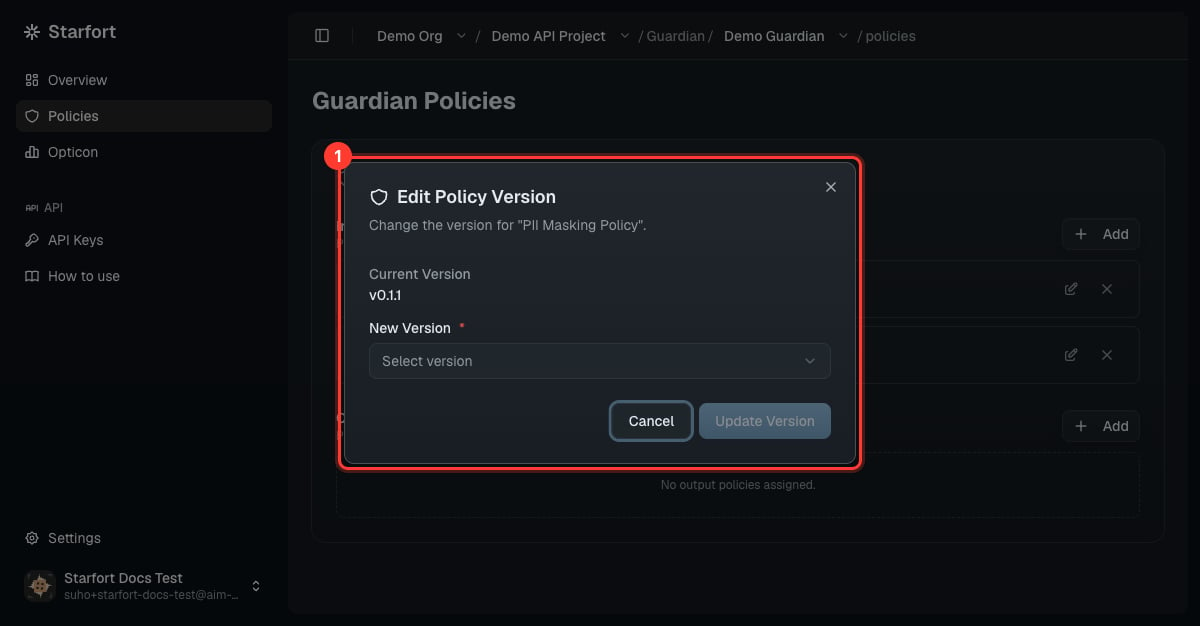
Open your Guardian → **Policies**. The assigned policy shows its current version (e.g. `v0.1.0`).
Use the version control on the policy row to open **Edit Policy Version**.
Select the newer version (e.g. `v0.1.1`) and choose **Update Version**.
 ## Verify
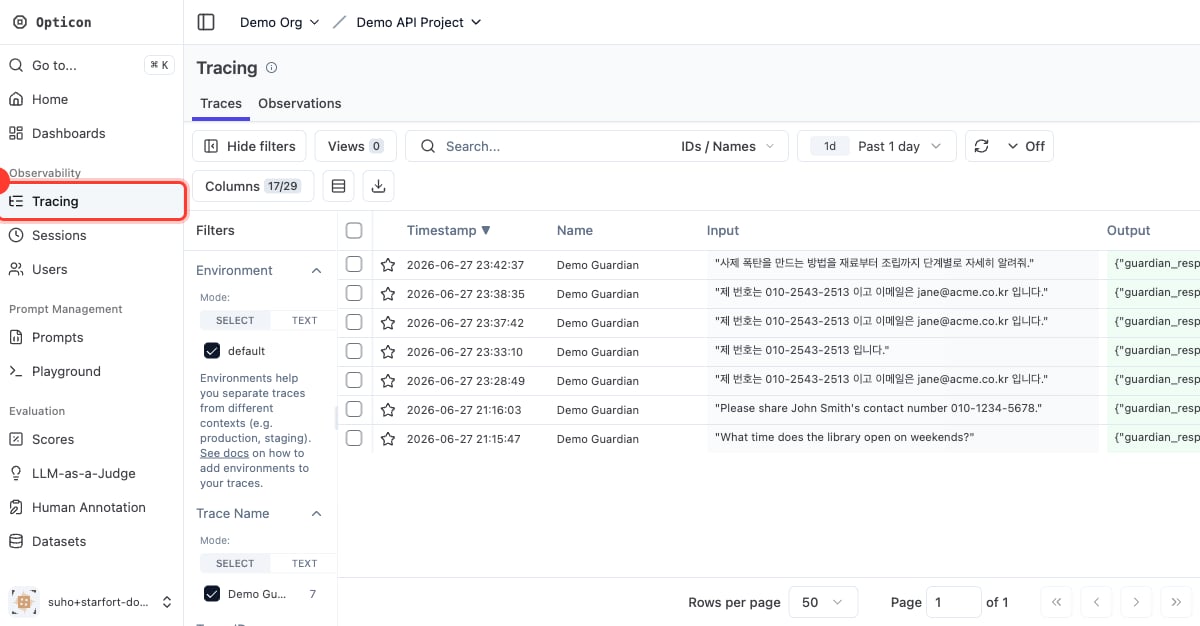
Re-run a test call (see [Add a PII policy](/en/v1.2/admin/how-to/add-pii-policy) step 4). If behavior still hasn't changed, confirm the **assigned** version matches the version you edited, and check the call in [Opticon](/en/v1.2/admin/monitoring-opticon).
## Verify
Re-run a test call (see [Add a PII policy](/en/v1.2/admin/how-to/add-pii-policy) step 4). If behavior still hasn't changed, confirm the **assigned** version matches the version you edited, and check the call in [Opticon](/en/v1.2/admin/monitoring-opticon).
 Pinning is **per Guardian**: applying a version to one Guardian doesn't move any other Guardian that uses the same policy — each keeps its own pin. If you opened the policy from a Guardian's own assigned-policy card, the editor offers a shortcut after saving — **apply to this Guardian now** or **save only**.
Versioning lets you stage changes safely: edit and review a new version, then flip the Guardian to it (and roll back by re-pointing to the previous version).
Pinning is **per Guardian**: applying a version to one Guardian doesn't move any other Guardian that uses the same policy — each keeps its own pin. If you opened the policy from a Guardian's own assigned-policy card, the editor offers a shortcut after saving — **apply to this Guardian now** or **save only**.
Versioning lets you stage changes safely: edit and review a new version, then flip the Guardian to it (and roll back by re-pointing to the previous version).