> ## Documentation Index
> Fetch the complete documentation index at: https://docs.starfort.io/llms.txt
> Use this file to discover all available pages before exploring further.
# Organizations & projects
> Create and manage organizations and projects, and choose a project's type.
Work is organized as **Company › Organization › Project** (see [Organization hierarchy](/en/v1.2/concepts/organization-hierarchy)). [Guardians](/en/v1.2/admin/register-guardian) and credentials live inside projects.
Creating an organization or project also **auto-creates its roles** — Owner / Viewer at the company level, and Owner / Admin / Member / Viewer at the organization and project levels. A higher-level role applies downward by default and can be overridden by assigning a specific role on a child resource. See [roles](/en/v1.2/concepts/organization-hierarchy).
## Create an organization
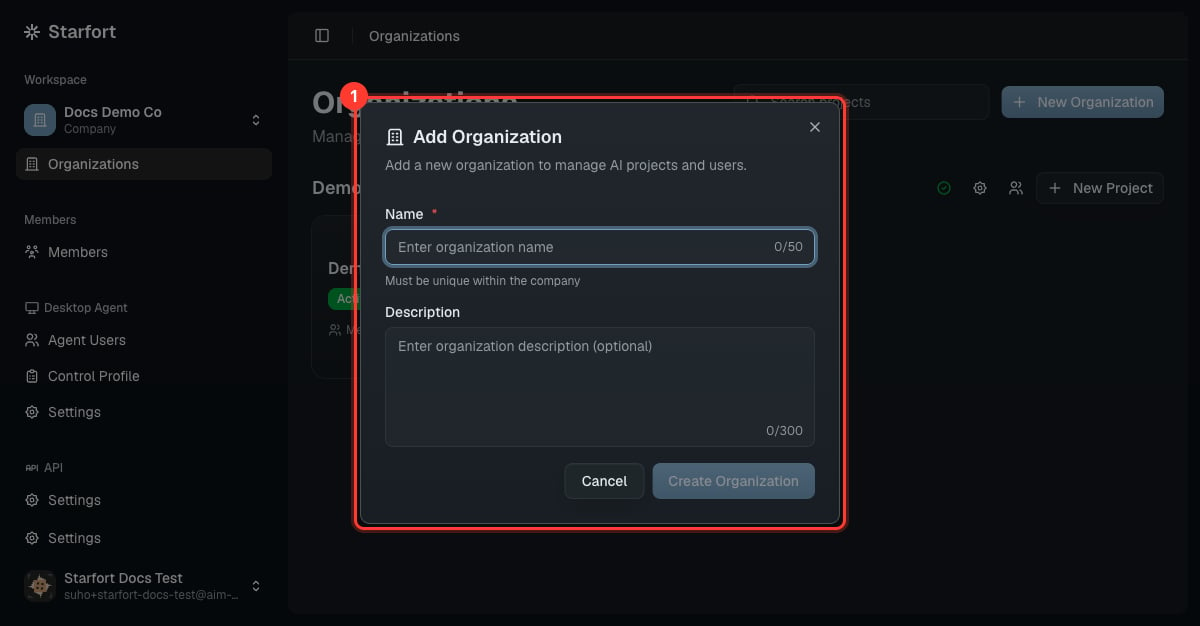
From **Organizations**, choose **New Organization**, give it a name (unique within the company) and an optional description.
 ## Create a project
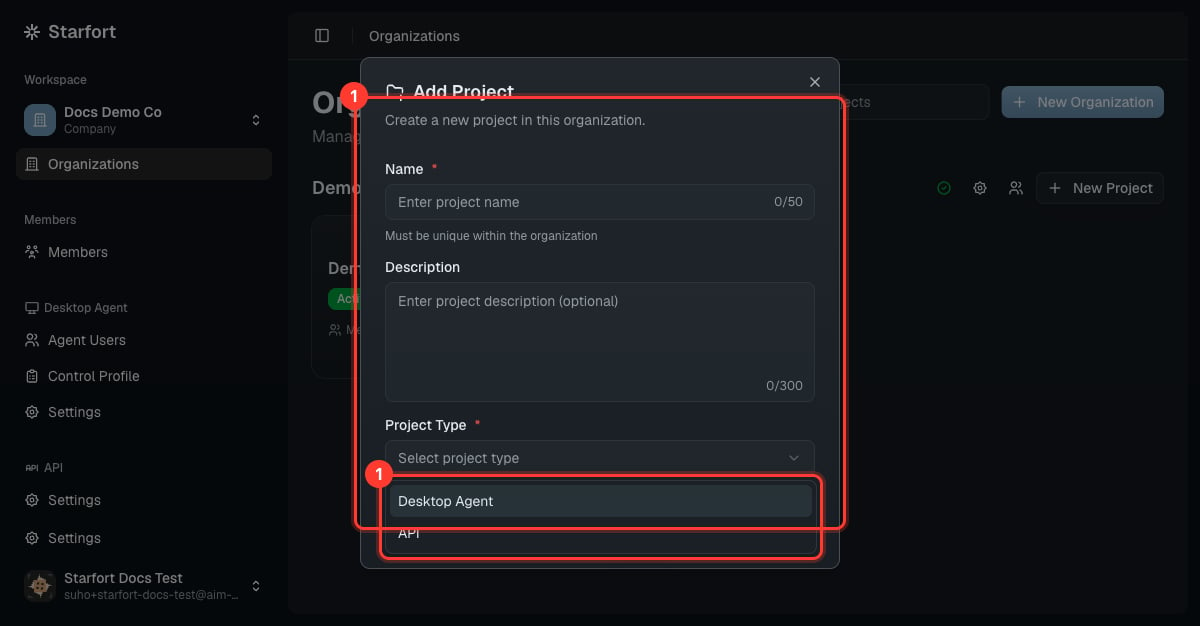
On an organization card, choose **New Project**. Set a name (unique within the organization) and pick the **Project Type**:
| Type | For | Manages |
| ----------------- | -------------------------------------------------- | ---------------------------------------------------------------------------------------------- |
| **API** | Embedding the [Guard API](/en/v1.2/api/quickstart) | [API keys](/en/v1.2/admin/api-keys) |
| **Desktop Agent** | Protecting employees' AI tools | [Control Profiles](/en/v1.2/admin/control-profiles), [Agent Users](/en/v1.2/admin/agent-users) |
## Create a project
On an organization card, choose **New Project**. Set a name (unique within the organization) and pick the **Project Type**:
| Type | For | Manages |
| ----------------- | -------------------------------------------------- | ---------------------------------------------------------------------------------------------- |
| **API** | Embedding the [Guard API](/en/v1.2/api/quickstart) | [API keys](/en/v1.2/admin/api-keys) |
| **Desktop Agent** | Protecting employees' AI tools | [Control Profiles](/en/v1.2/admin/control-profiles), [Agent Users](/en/v1.2/admin/agent-users) |
 ## Project type
The **Project Type** decides how this project is governed, and it is the most important choice you make here.
* **Chosen at creation, immutable.** You select **Desktop Agent** or **API** once; it cannot be changed afterward.
* **Only enabled types appear.** The dropdown shows only the types your company has turned on as [features](/en/v1.2/admin/quickstart#3-choose-features). If a type is missing, enable it in Company Settings first.
* **Per-type quota.** Each type has its own project quota, set when the company is bootstrapped and editable in Company Settings — always within the system-wide allowance. When you reach a type's quota, new projects of that type are blocked until you raise it or delete one.
* **A type can't be turned off while a project of that type still exists** — delete its projects first.
A project's **type cannot be changed** after creation. Create a new project if you need the other type.
Both types share the same building block — every project has **one or more [Project Guardians](/en/v1.2/admin/register-guardian)** that do the inspection — but differ in how they're driven:
| | **Desktop Agent project** | **API project** |
| ---------------------- | ------------------------------------------------------------------------ | ------------------------------------------------ |
| Driven by | The Desktop Agent on employee devices | Your application via the Guard API |
| Credential | [Company Access Key](/en/v1.2/admin/desktop-agent-settings) (per device) | [API keys](/en/v1.2/admin/api-keys) (per caller) |
| Governs which services | [Control Profiles](/en/v1.2/admin/control-profiles) | Whatever your app sends |
A **Desktop Agent project** automatically gets **all** of the company's [Control Profiles](/en/v1.2/admin/control-profiles) assigned by default when created. You can narrow that set later — assigning a profile to the project, and mapping it to a specific Guardian, are two separate steps with different permissions.
When a project is created, its **Opticon Project Binding** (for [monitoring](/en/v1.2/admin/monitoring-opticon)) is registered automatically; you can re-point it later in Project Settings.
## Open a project
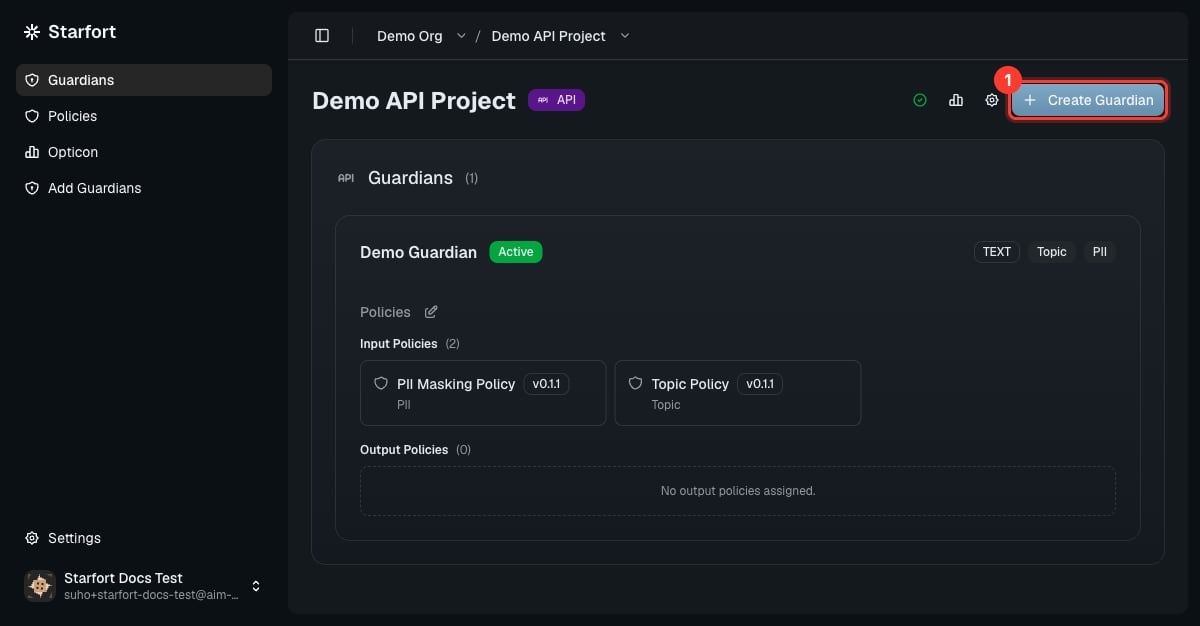
Opening a project shows its Guardians and actions: **Create Guardian**, **Settings**, and a link to **Opticon**. From here you [register a Guardian](/en/v1.2/admin/register-guardian).
## Project type
The **Project Type** decides how this project is governed, and it is the most important choice you make here.
* **Chosen at creation, immutable.** You select **Desktop Agent** or **API** once; it cannot be changed afterward.
* **Only enabled types appear.** The dropdown shows only the types your company has turned on as [features](/en/v1.2/admin/quickstart#3-choose-features). If a type is missing, enable it in Company Settings first.
* **Per-type quota.** Each type has its own project quota, set when the company is bootstrapped and editable in Company Settings — always within the system-wide allowance. When you reach a type's quota, new projects of that type are blocked until you raise it or delete one.
* **A type can't be turned off while a project of that type still exists** — delete its projects first.
A project's **type cannot be changed** after creation. Create a new project if you need the other type.
Both types share the same building block — every project has **one or more [Project Guardians](/en/v1.2/admin/register-guardian)** that do the inspection — but differ in how they're driven:
| | **Desktop Agent project** | **API project** |
| ---------------------- | ------------------------------------------------------------------------ | ------------------------------------------------ |
| Driven by | The Desktop Agent on employee devices | Your application via the Guard API |
| Credential | [Company Access Key](/en/v1.2/admin/desktop-agent-settings) (per device) | [API keys](/en/v1.2/admin/api-keys) (per caller) |
| Governs which services | [Control Profiles](/en/v1.2/admin/control-profiles) | Whatever your app sends |
A **Desktop Agent project** automatically gets **all** of the company's [Control Profiles](/en/v1.2/admin/control-profiles) assigned by default when created. You can narrow that set later — assigning a profile to the project, and mapping it to a specific Guardian, are two separate steps with different permissions.
When a project is created, its **Opticon Project Binding** (for [monitoring](/en/v1.2/admin/monitoring-opticon)) is registered automatically; you can re-point it later in Project Settings.
## Open a project
Opening a project shows its Guardians and actions: **Create Guardian**, **Settings**, and a link to **Opticon**. From here you [register a Guardian](/en/v1.2/admin/register-guardian).