> ## Documentation Index
> Fetch the complete documentation index at: https://docs.starfort.io/llms.txt
> Use this file to discover all available pages before exploring further.
# How to add a customized PII policy
> Create a PII Guard Policy with NER, regex, and keyword rules, then apply it to a Guardian.
This recipe creates a PII policy that masks personal data, assigns it to a Guardian, and verifies it with a real call. See [Guard Policy](/en/v1.3/concepts/guard-policy) for the model.
## 1. Create & assign the policy
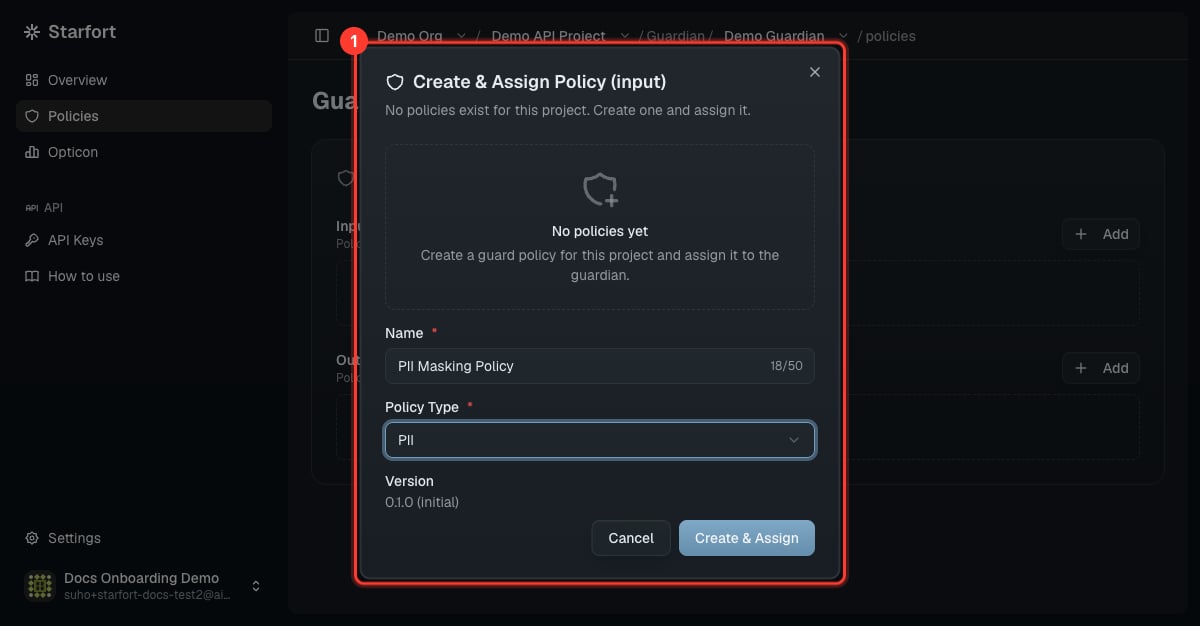
Open your Guardian → **Policies** → **Add** on **Input Policies** → **Create & Assign Policy**. Name it (e.g. `PII Masking Policy`), set **Policy Type = PII**, and create. It starts at `v0.1.0` and opens in the editor.
 ## 2. Add rules
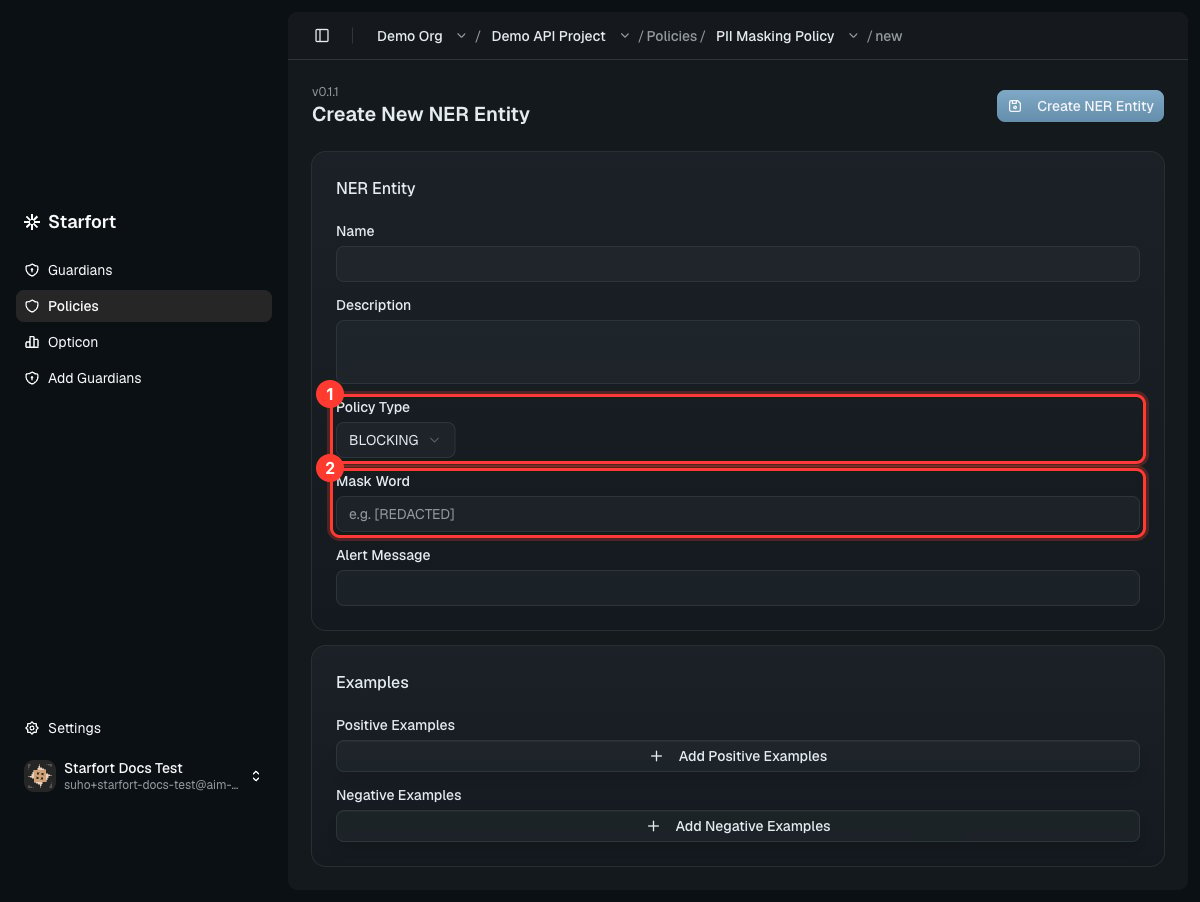
Use **Add** in the editor to add rules one at a time, choosing the kind:
| Rule | Define | Action via `policy_type` |
| ---------------------- | --------------------------- | ---------------------------------- |
| **NER Entity** | name, mask word, ± examples | `MASKING` or `BLOCKING` |
| **Regular Expression** | a regex + `rule_id` | `MASKING` / `BLOCKING` / `PASSING` |
| **Keyword** | an exact word | `MASKING` / `BLOCKING` / `PASSING` |
For masking, set **`policy_type: MASKING`** and a **mask word** (e.g. `PHONE_NUMBER`) — matches become `[PHONE_NUMBER_1]`.
## 2. Add rules
Use **Add** in the editor to add rules one at a time, choosing the kind:
| Rule | Define | Action via `policy_type` |
| ---------------------- | --------------------------- | ---------------------------------- |
| **NER Entity** | name, mask word, ± examples | `MASKING` or `BLOCKING` |
| **Regular Expression** | a regex + `rule_id` | `MASKING` / `BLOCKING` / `PASSING` |
| **Keyword** | an exact word | `MASKING` / `BLOCKING` / `PASSING` |
For masking, set **`policy_type: MASKING`** and a **mask word** (e.g. `PHONE_NUMBER`) — matches become `[PHONE_NUMBER_1]`.
 ### Faster: load JSON
Choose **JSON** to paste a whole policy at once. Allowed top-level keys are `ner`, `regex`, `keyword`:
```json theme={null}
{
"ner": [
{ "id": 0, "name": "Phone number", "policy_type": "MASKING", "mask_word": "PHONE_NUMBER",
"alert_message": "Phone number detected", "positive_examples": ["010-1234-5678"] }
],
"regex": [
{ "id": 1, "rule_id": "email", "regex": "(?i)\\b[A-Z0-9._%+-]+@[A-Z0-9.-]+\\.[A-Z]{2,}\\b",
"policy_type": "MASKING", "mask_word": "EMAIL", "description": "email", "alert_message": "Email detected" }
],
"keyword": []
}
```
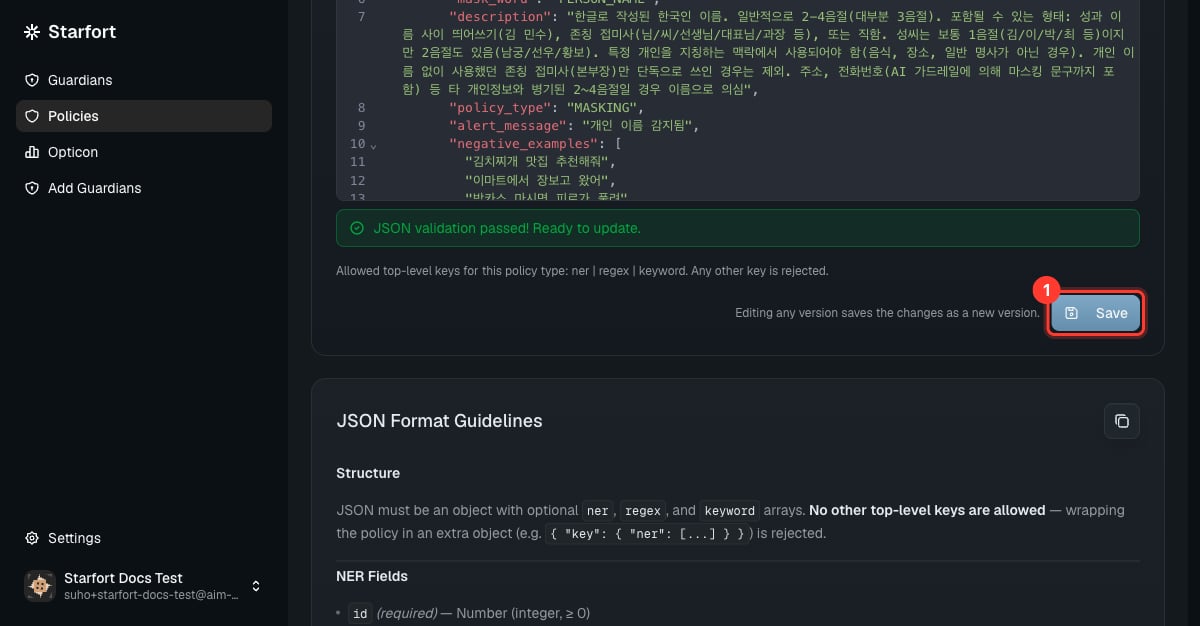
The editor validates before saving. **Save** creates a new version.
### Faster: load JSON
Choose **JSON** to paste a whole policy at once. Allowed top-level keys are `ner`, `regex`, `keyword`:
```json theme={null}
{
"ner": [
{ "id": 0, "name": "Phone number", "policy_type": "MASKING", "mask_word": "PHONE_NUMBER",
"alert_message": "Phone number detected", "positive_examples": ["010-1234-5678"] }
],
"regex": [
{ "id": 1, "rule_id": "email", "regex": "(?i)\\b[A-Z0-9._%+-]+@[A-Z0-9.-]+\\.[A-Z]{2,}\\b",
"policy_type": "MASKING", "mask_word": "EMAIL", "description": "email", "alert_message": "Email detected" }
],
"keyword": []
}
```
The editor validates before saving. **Save** creates a new version.
 ## 3. Apply the new version
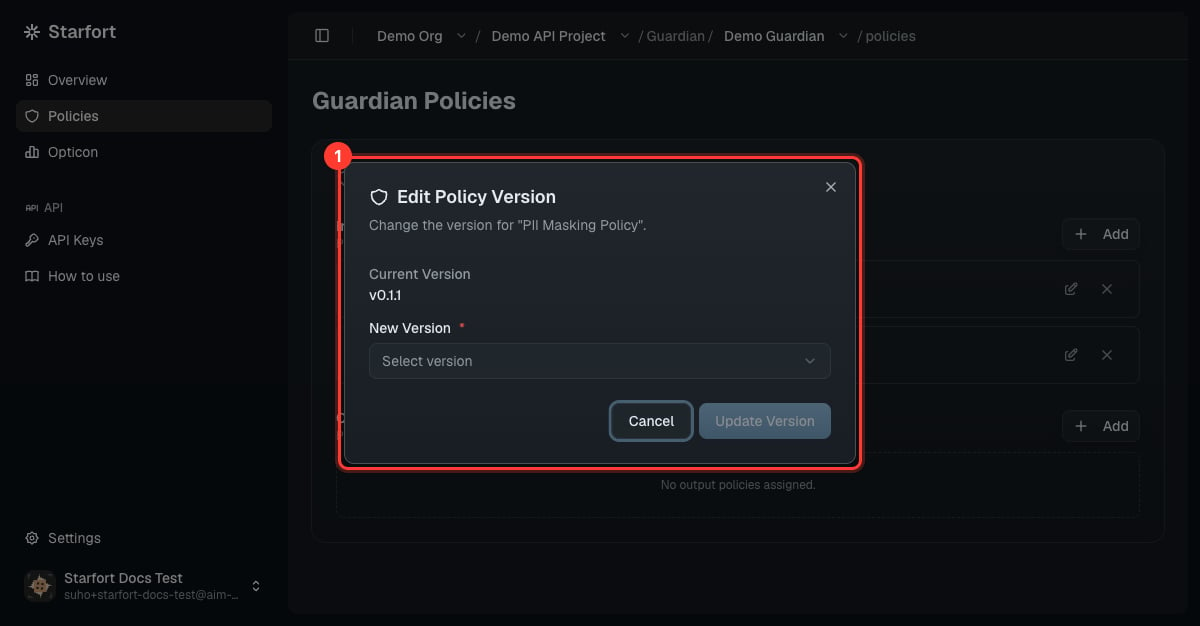
Saving created a **new version** (the number only has to be unique for this policy — it needn't be higher than the last). **Saving doesn't apply it** — you must re-point (pin) the Guardian to the new version, or the change won't take effect. See [Version & apply a policy update](/en/v1.3/admin/how-to/version-and-apply-policy).
## 3. Apply the new version
Saving created a **new version** (the number only has to be unique for this policy — it needn't be higher than the last). **Saving doesn't apply it** — you must re-point (pin) the Guardian to the new version, or the change won't take effect. See [Version & apply a policy update](/en/v1.3/admin/how-to/version-and-apply-policy).
 ## 4. Verify
Send a test call with PII and confirm it's masked:
```bash theme={null}
curl -X POST "https://bastion-guardian-api.starfort.io/v1/guard/api" \
-H "Content-Type: application/json" -H "X-Starfort-Guard-Api-Key: sf_your_key" \
-d '{"messages":[{"role":"user","content":"My number is 010-2543-2513."}],"processType":"input"}'
```
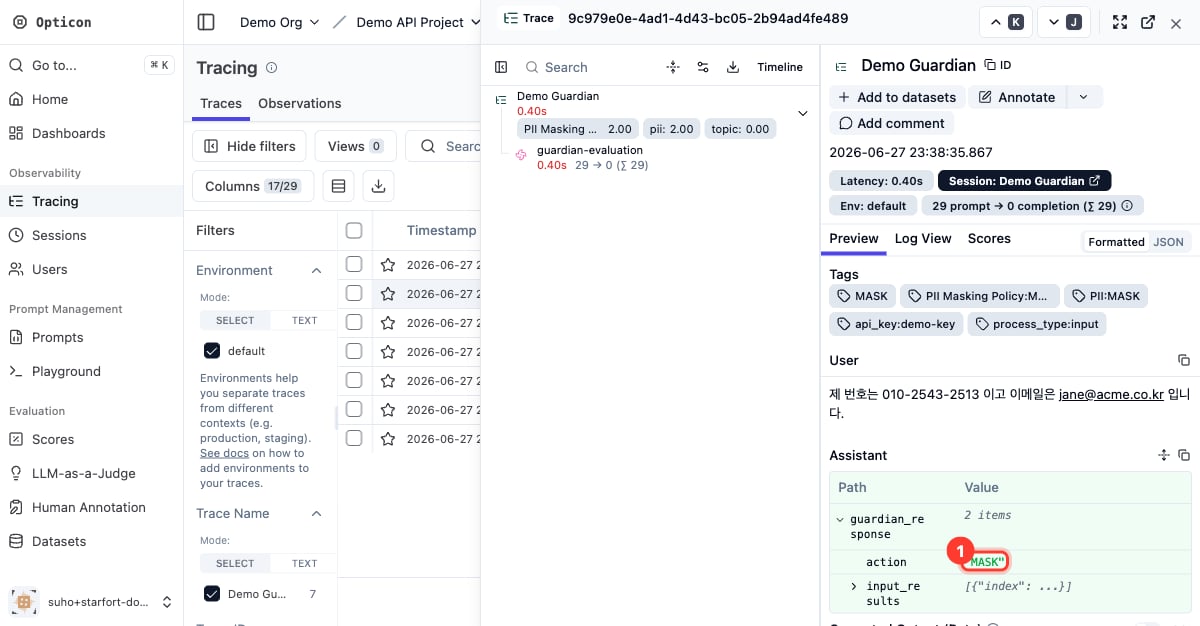
A masked response (`"action":"MASK"`, `processed_content` with `[PHONE_NUMBER_1]`) confirms it works. Review it in [Opticon](/en/v1.3/admin/monitoring-opticon).
## 4. Verify
Send a test call with PII and confirm it's masked:
```bash theme={null}
curl -X POST "https://bastion-guardian-api.starfort.io/v1/guard/api" \
-H "Content-Type: application/json" -H "X-Starfort-Guard-Api-Key: sf_your_key" \
-d '{"messages":[{"role":"user","content":"My number is 010-2543-2513."}],"processType":"input"}'
```
A masked response (`"action":"MASK"`, `processed_content` with `[PHONE_NUMBER_1]`) confirms it works. Review it in [Opticon](/en/v1.3/admin/monitoring-opticon).
 Starfort ships a comprehensive **default PII policy** (Korean phone, RRN, passport, card, email, …). Loading it via the JSON editor is the quickest start — then trim to what you need.