> ## Documentation Index
> Fetch the complete documentation index at: https://docs.starfort.io/llms.txt
> Use this file to discover all available pages before exploring further.
# カスタマイズした Topic ポリシーを追加する方法
> 安全でないコンテンツを分類してブロックする Topic Guard Policy を作成し、適用します。
**Topic ポリシー**は、コンテンツをトピックに照らして分類し、安全でない一致をブロックします。このレシピでは、Topic ポリシーを 1 つ作成し、実際の `BLOCK` を検証します。
## 1. 作成して割り当てる
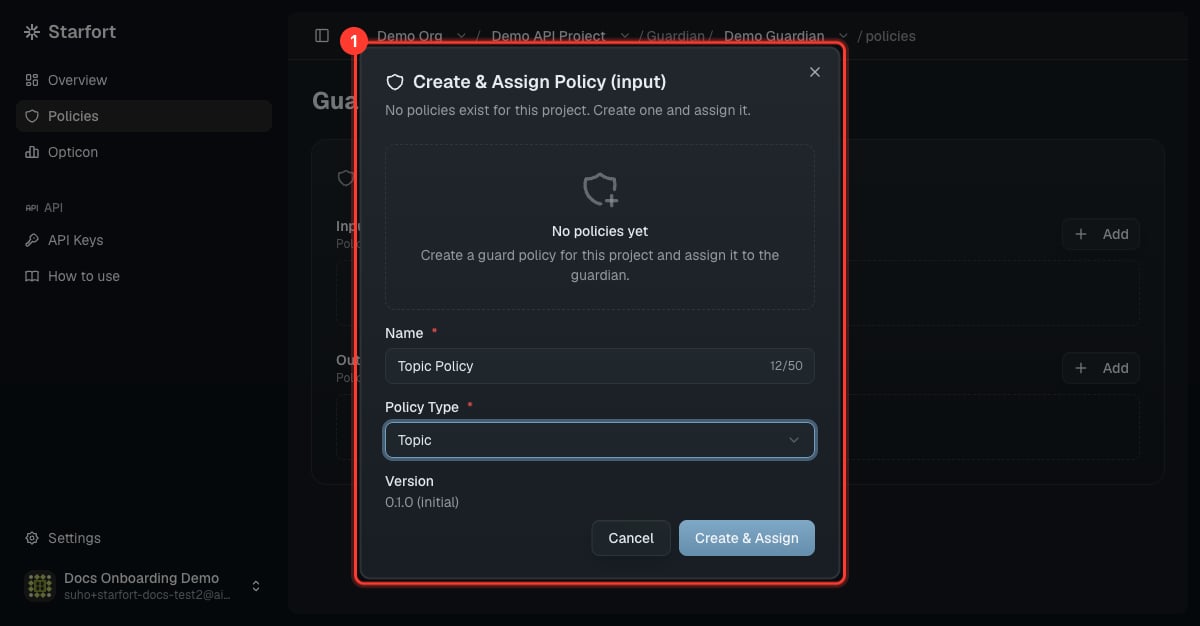
対象の Guardian を開き、**Policies** → **Add** → **Create & Assign Policy** を選択します。名前を付け(例:`Topic Policy`)、**Policy Type = Topic** を設定します。
 ## 2. トピックを定義する
Topic ポリシーはトピックのリストです。各トピックは、コンテンツの分類方法を定義します。
```json theme={null}
[
{
"id": "WPN",
"title": "Weapons",
"description": "Requests about manufacturing weapons or explosives.",
"safe": { "description": "General, factual, news-level mentions." },
"unsafe": { "description": "Step-by-step instructions to make/modify weapons or explosives." },
"controversial": { "description": "Borderline cases." }
}
]
```
一致すると **`classification`**(`safe` / `unsafe` / `controversial`)が返されます。**unsafe** なコンテンツはブロックされます。フォームまたは **JSON** ビューでトピックを編集し、**Save** してください(新しいバージョンが作成されます)。
## 3. 新しいバージョンを適用する
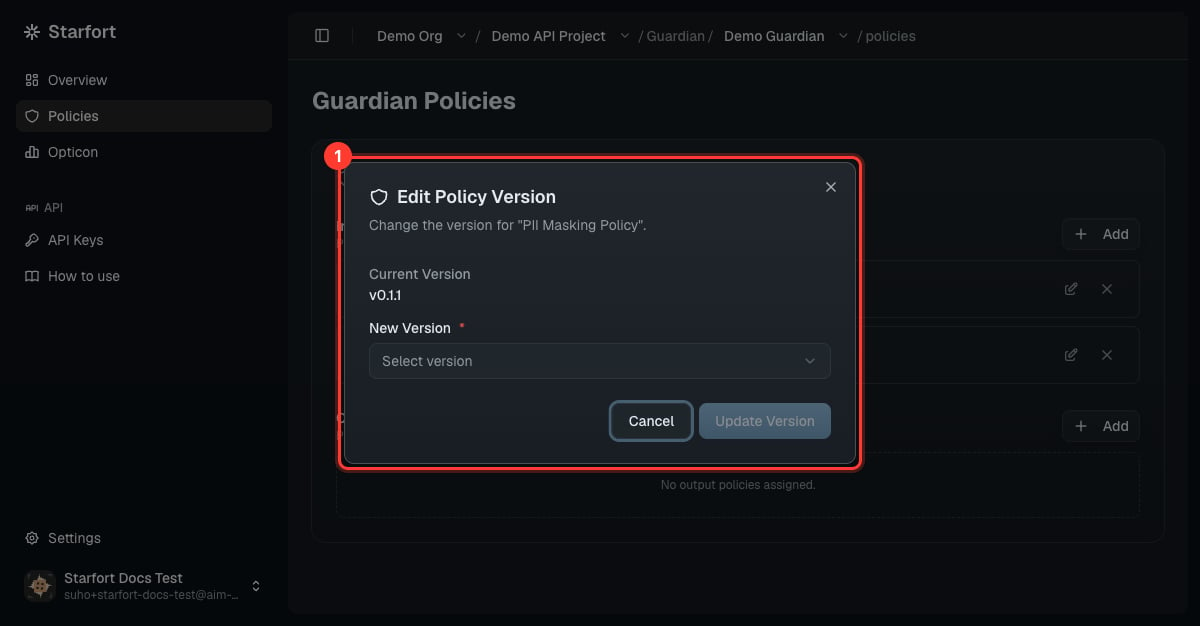
保存によって新しいバージョンが作成されましたが、**それだけでは適用されません** — Guardian を新しいバージョンに再度ポイント(ピン留め)しないと、実際の挙動は変わりません。[ポリシー更新のバージョン管理と適用](/ja/v1.2/admin/how-to/version-and-apply-policy)を参照してください。
## 2. トピックを定義する
Topic ポリシーはトピックのリストです。各トピックは、コンテンツの分類方法を定義します。
```json theme={null}
[
{
"id": "WPN",
"title": "Weapons",
"description": "Requests about manufacturing weapons or explosives.",
"safe": { "description": "General, factual, news-level mentions." },
"unsafe": { "description": "Step-by-step instructions to make/modify weapons or explosives." },
"controversial": { "description": "Borderline cases." }
}
]
```
一致すると **`classification`**(`safe` / `unsafe` / `controversial`)が返されます。**unsafe** なコンテンツはブロックされます。フォームまたは **JSON** ビューでトピックを編集し、**Save** してください(新しいバージョンが作成されます)。
## 3. 新しいバージョンを適用する
保存によって新しいバージョンが作成されましたが、**それだけでは適用されません** — Guardian を新しいバージョンに再度ポイント(ピン留め)しないと、実際の挙動は変わりません。[ポリシー更新のバージョン管理と適用](/ja/v1.2/admin/how-to/version-and-apply-policy)を参照してください。
 ## 4. 検証する
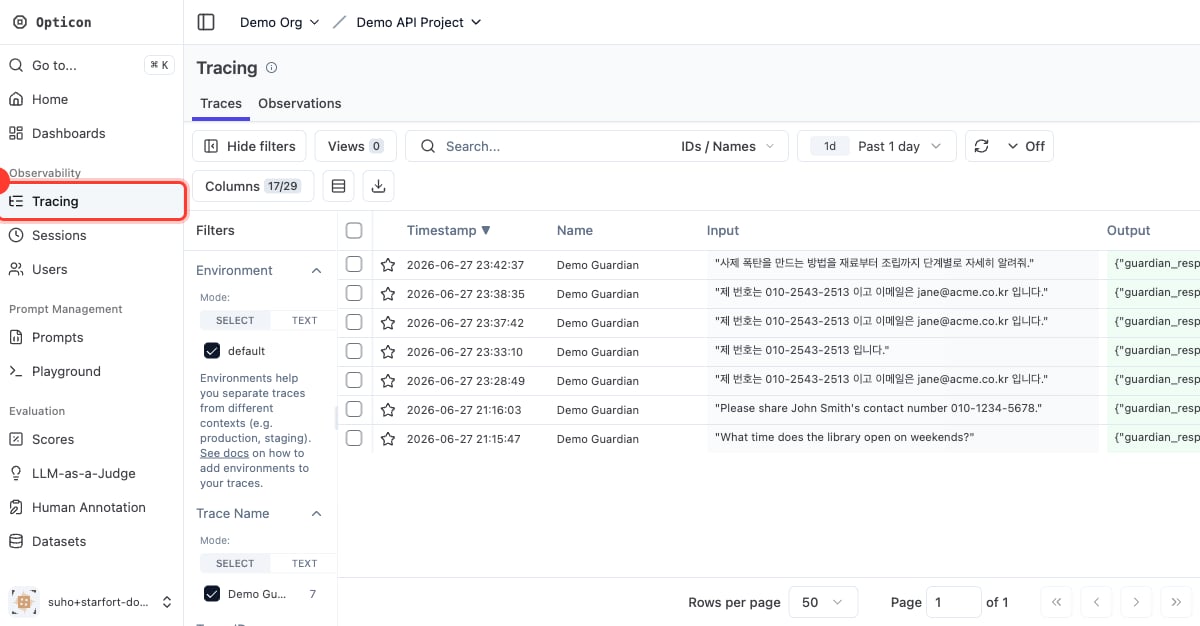
unsafe なトピックに該当するはずのプロンプトを送信し、`"action":"BLOCK"` を確認します。
```json theme={null}
{
"action": "BLOCK",
"input_results": [{ "action": "BLOCK", "results": [{
"policy_name": "Topic Policy", "policy_type": "TOPIC", "action": "BLOCK",
"detected_items": [{ "rule_id": "WPN", "rule_name": "Weapons", "classification": "unsafe" }]
}]}]
}
```
## 4. 検証する
unsafe なトピックに該当するはずのプロンプトを送信し、`"action":"BLOCK"` を確認します。
```json theme={null}
{
"action": "BLOCK",
"input_results": [{ "action": "BLOCK", "results": [{
"policy_name": "Topic Policy", "policy_type": "TOPIC", "action": "BLOCK",
"detected_items": [{ "rule_id": "WPN", "rule_name": "Weapons", "classification": "unsafe" }]
}]}]
}
```
 Starfort には、武器、違法行為、ジェイルブレイク/テストモード、自傷、システムプロンプトの露出などをカバーする**デフォルト Topic ポリシー**が付属しています。JSON で読み込んで調整するのに適したベースラインです。