

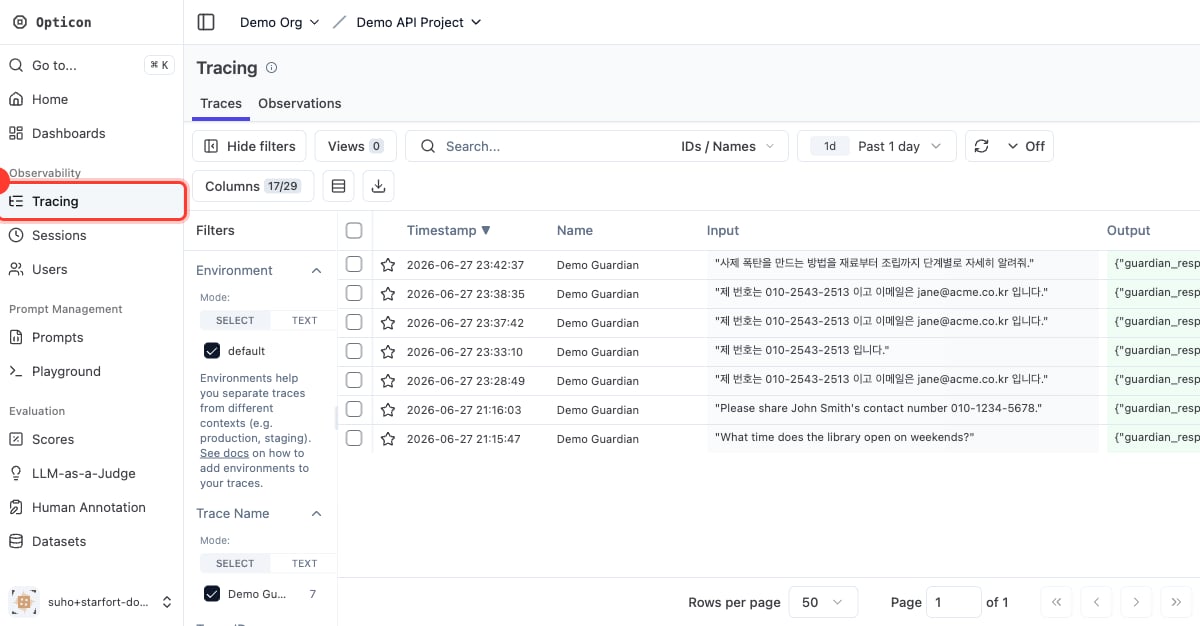
Opticon → Tracing
The trace list
Each row is one Guard API / Desktop Agent call, showing the input, the Guardian’s output, latency, tags, and scores. For a Desktop Agent call, the trace’s session is the matched Control Profile name, and its metadata carries the request’s URL, HTTP method, Content-Type, and headers; the input call and its output call share one Trace ID, so you see a full request→response cycle as a single trace. For an API call, the session is the caller’ssession_id, and the caller can link two calls by passing the same trace_id.
Tags and scores make it easy to filter and aggregate:
- the action —
PASS,MASK,BLOCK - policy results — e.g.
PII Masking Policy:MASK,TOPIC:BLOCK - the caller — e.g. the API key name
- the stage —
process_type:input - scores — per policy name, rolled up by policy type
A trace’s detail
Open a trace to see the full picture: the original input, theprocessed_content (masked output), the resolved action, every detected item, and the call metadata (API key, model config, process type).
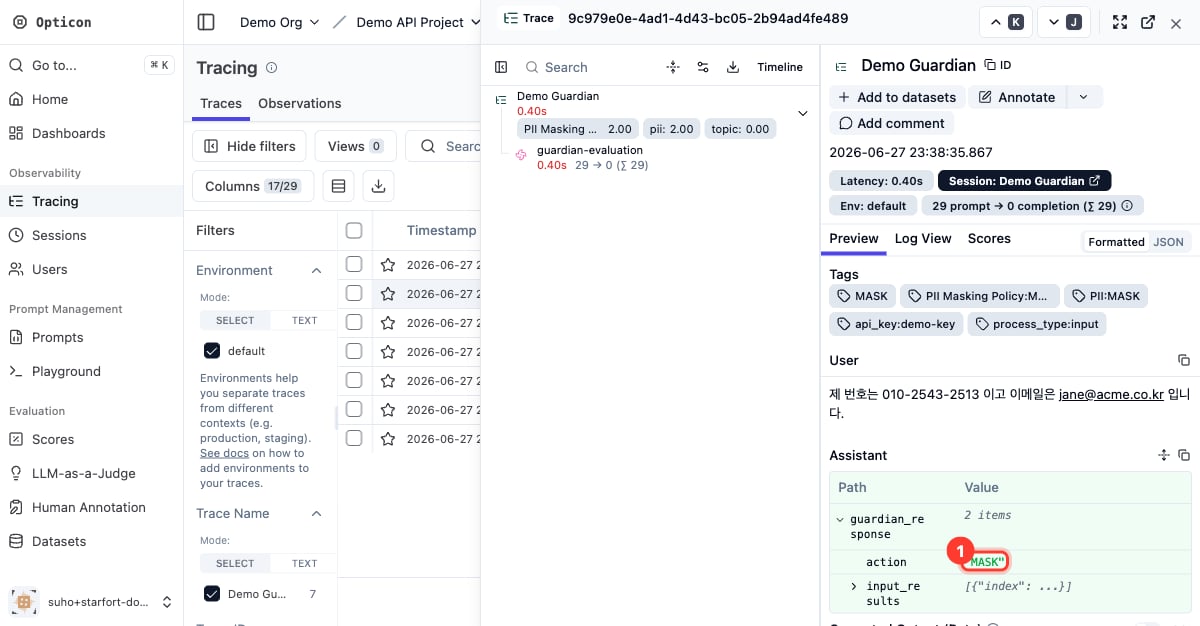
A MASK trace in detail — the action is MASK
Opticon Fail-Safe (Fail-Open / Fail-Closed)
Trace recording is normally asynchronous: if Opticon is down or unresponsive, the Guard verdict (PASS / MASK / BLOCK) is still returned and only the record is lost — the observation plane fails open. In audit-critical operations that gap matters: an unrecorded request is an unauditable request. Starting in v1.3, each project chooses what happens when a trace ultimately fails to record, with the Opticon Fail-Safe setting in Project Settings → General: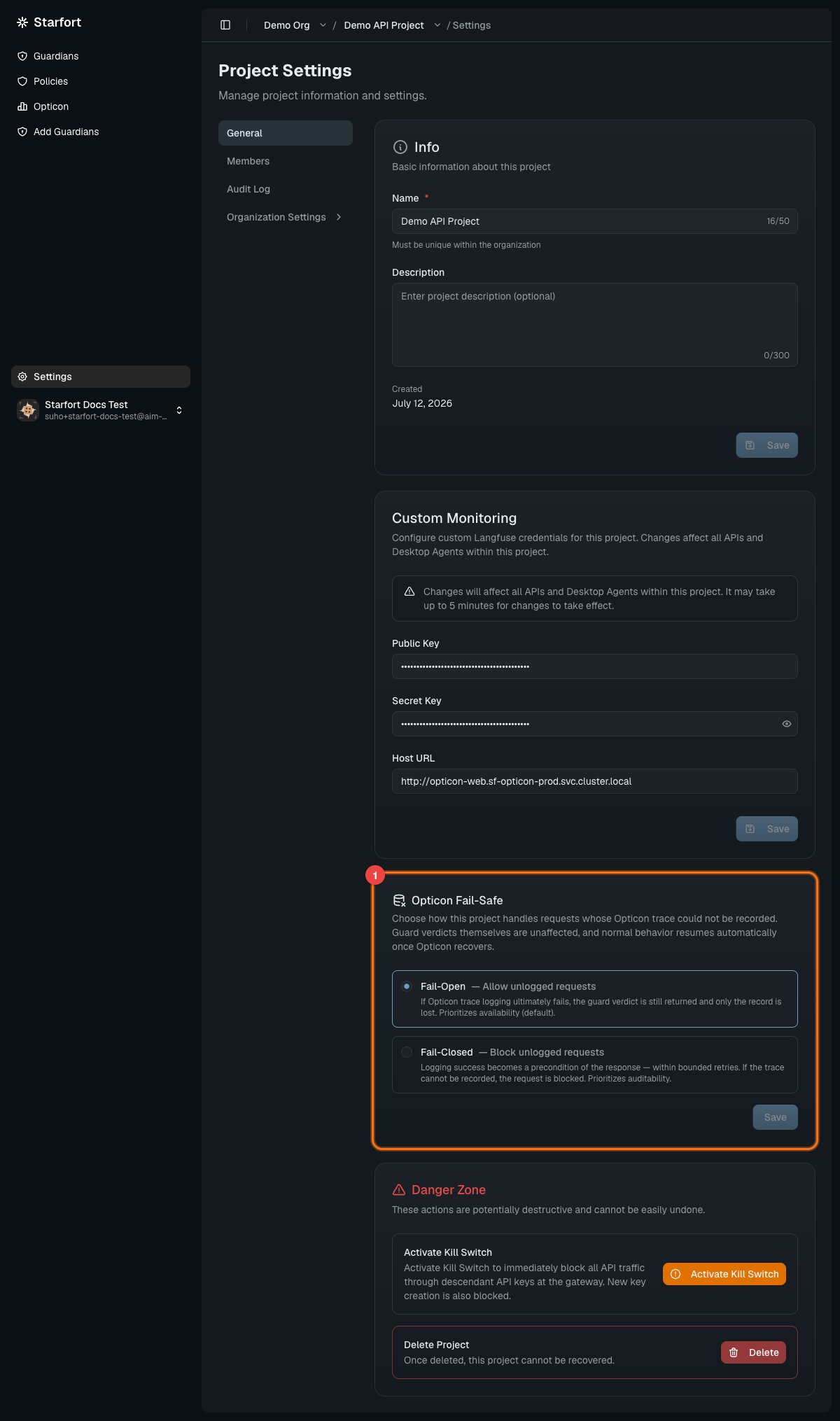
Project Settings → General → Opticon Fail-Safe
Fail-Closed recording attempts are bounded — a time and retry ceiling — so an unresponsive Opticon results in a BLOCK, never an indefinitely hanging response. When Opticon recovers, requests flow normally again with no manual reset.
The policy is per project because traces are recorded through the project’s Opticon binding — and even packets that reach a project without matching any Project Guardian (observe-and-log only) are logged under that binding. Audit posture can also differ per project within one company.
What doesn’t trigger it — Fail-Closed applies only when a trace should exist but couldn’t be recorded. Requests that never produce a trace are unaffected:
- entries whose Opticon logging is explicitly turned off (an intentional opt-out, not a failure)
- paths that never generate a trace in the first place (auth failures, deterministic gates, unsupported inputs, over-limit rejections)
- projects with no Opticon binding configured