

Create a key
Open your Guardian → API Keys → Add API Key, give it a name, and Create.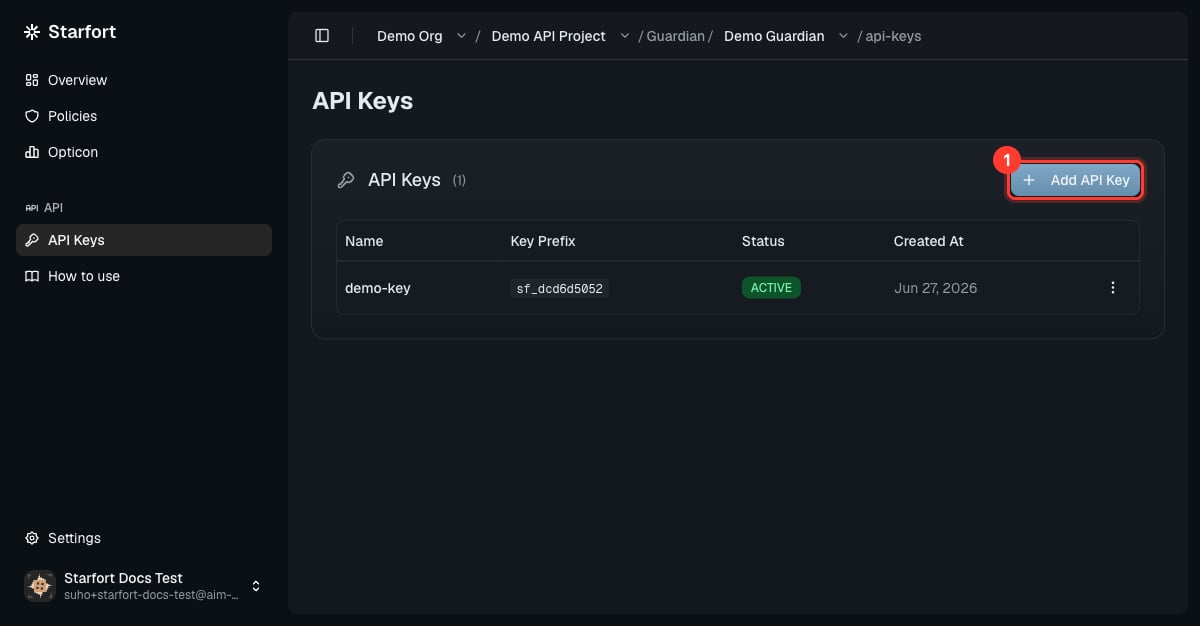
Create an API key
sf_. Copy it now — it cannot be retrieved later.
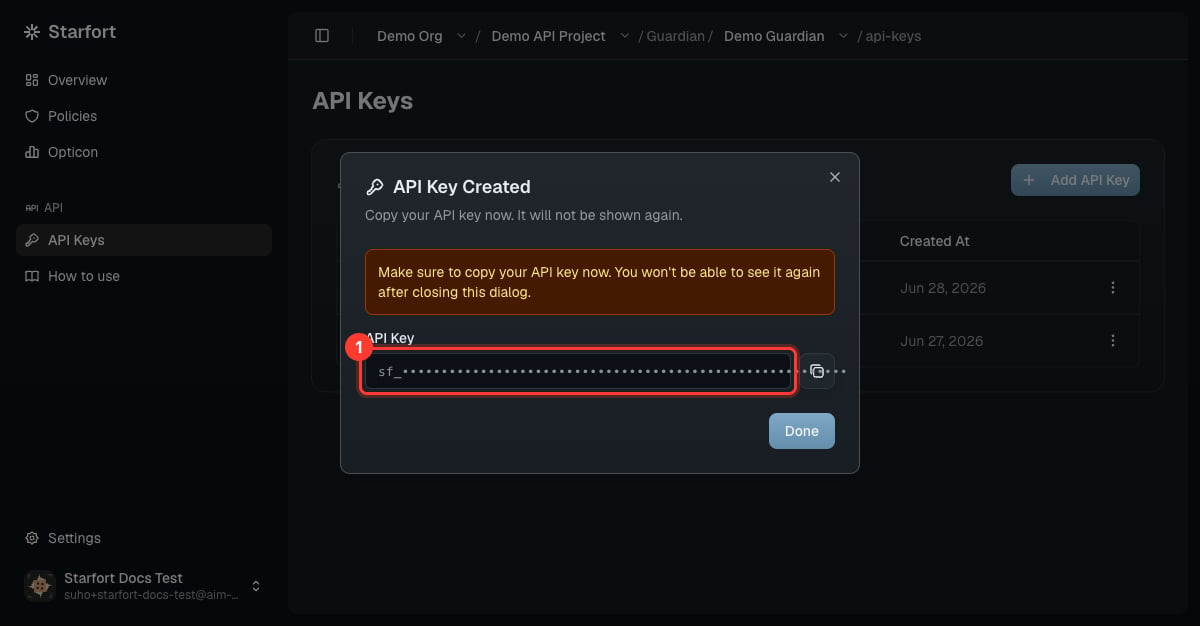
Copy the key now — it is shown only once
Key lifecycle
Active and Inactive toggle freely. Revoke is permanent: a revoked key can’t be reactivated — issue a new key instead.
A call with a missing/invalid/revoked key gets HTTP 401 — see Authentication and Errors & states.
Key state vs. Kill Switch
A key’s state and the Kill Switch are independent, and Starfort checks both on every request:- The Kill Switch (on the org, project, or module instance) blocks traffic even for Active keys while it’s on. Your keys keep their state and resume normally the moment it’s cleared.
- While any Kill Switch above a Guardian is on, you also can’t create new keys there.