

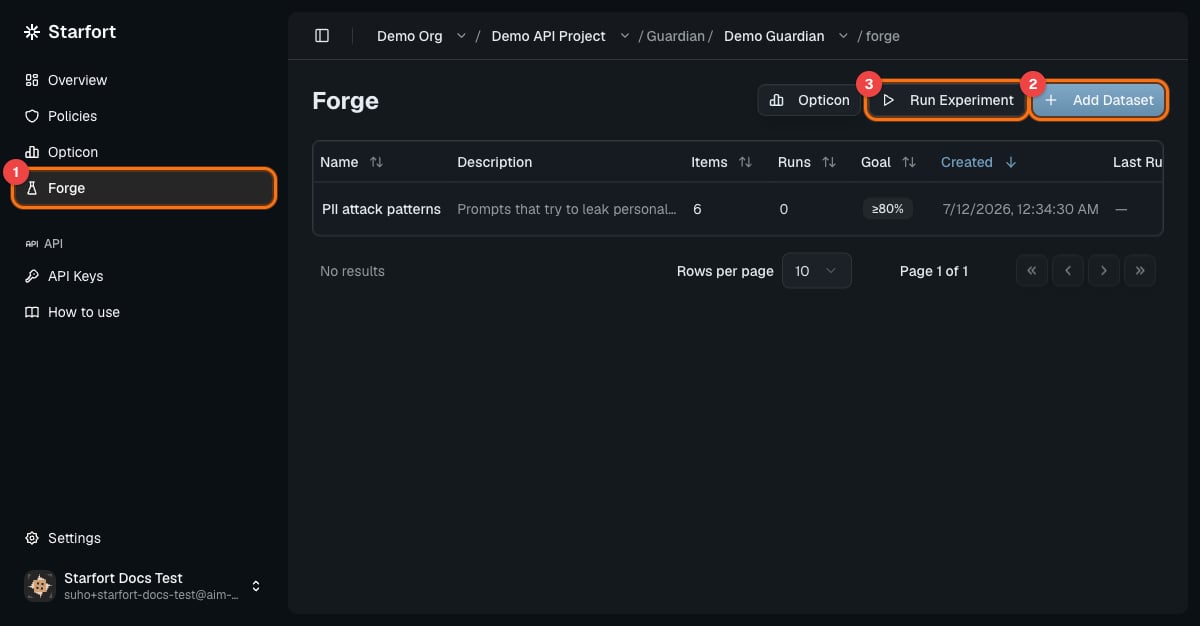
Forge lives inside each Project Guardian — (1) the Forge tab, (2) Add Dataset, (3) Run Experiment
Forge measures and visualizes — it never edits policies for you. Evaluation is a deterministic comparison of expected vs. actual actions (no LLM judging), and policy fixes go through the normal Guard Policy editing and versioning flow.
Test Datasets
A Test Dataset belongs to a Project Guardian (the thing whose policies you’re testing). One Guardian can have several datasets — for example “PII attack patterns,” “normal inputs,” and “edge cases.” Dataset names are unique within their Guardian, and deleting the Guardian deletes its datasets and all their results. Each item in a dataset has two parts:
Evaluation in v1.4 compares the final action only. The policy codes and reason are stored with every result for failure analysis, but they don’t affect the score.
Register a dataset
In the project’s Guardian, open Forge and create a dataset:1
Name and description
The name must be unique within this Project Guardian.
2
Guardian Action List
The set of actions this dataset evaluates (e.g. Pass / Mask / Block) — per-class accuracy is computed for these.
3
Upload items
A CSV or JSONL file — each record is one item (
input + expected_output).4
Goal (optional)
An accuracy target from 0–100%. When set, every Experiment on this dataset gets a PASS / FAIL verdict: Total Accuracy ≥ Goal passes.
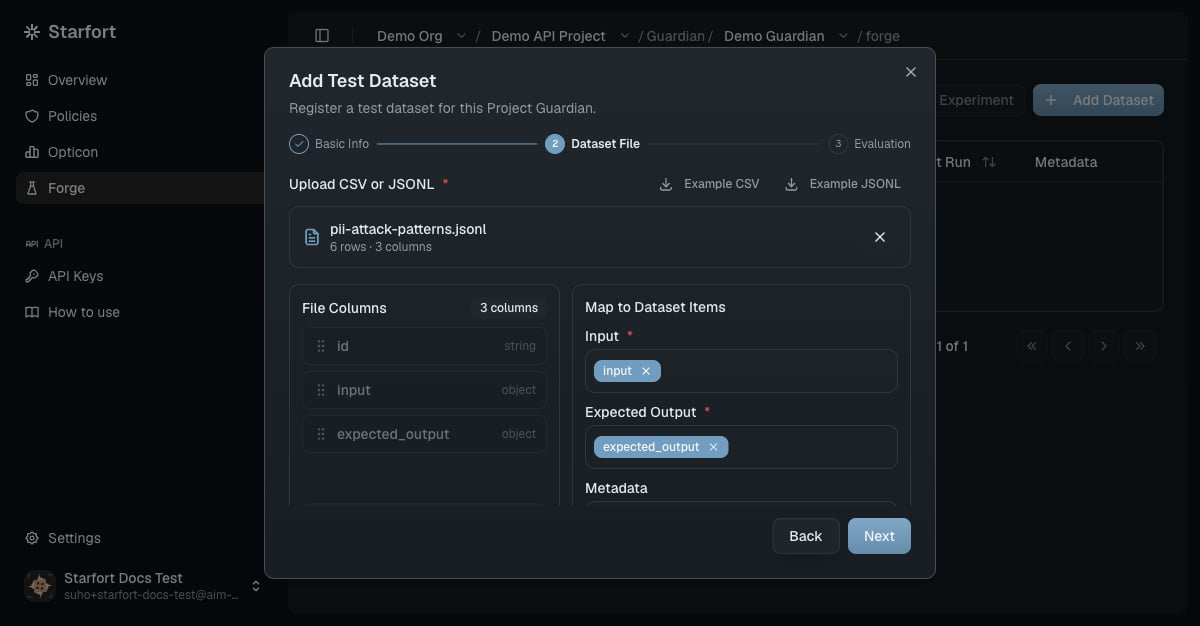
Uploading items — file columns are mapped to each item's input, expected output, and metadata
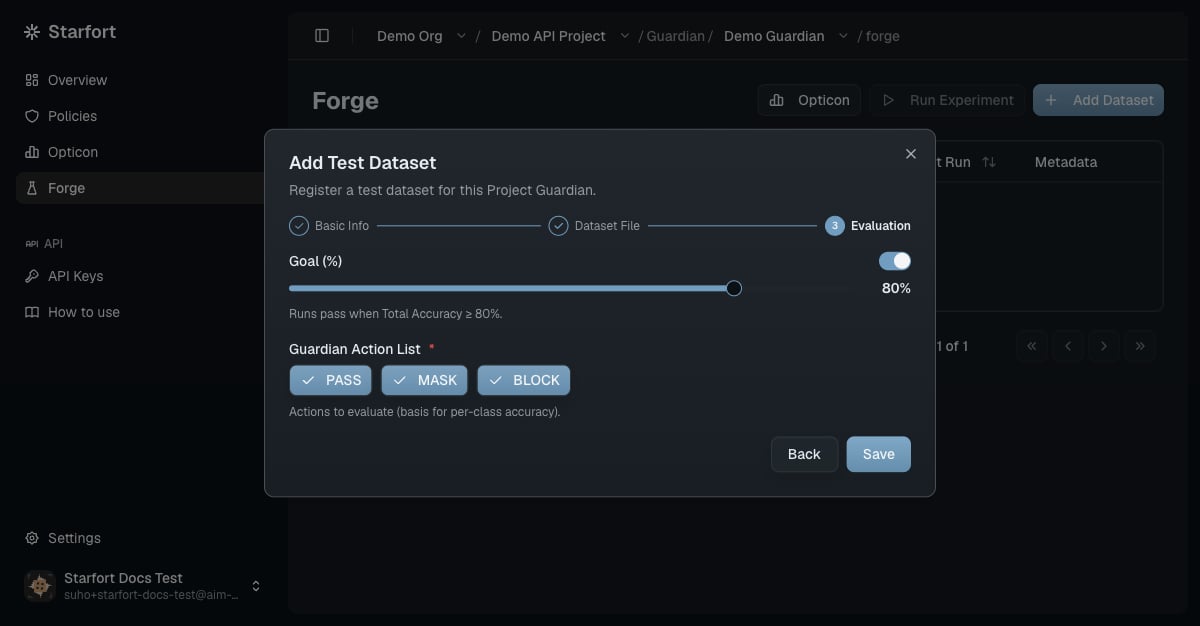
Evaluation settings — the accuracy Goal and the Guardian Action List
Experiments
An Experiment runs one Test Dataset through the Project Guardian with a policy configuration you choose, and scores the results. You configure: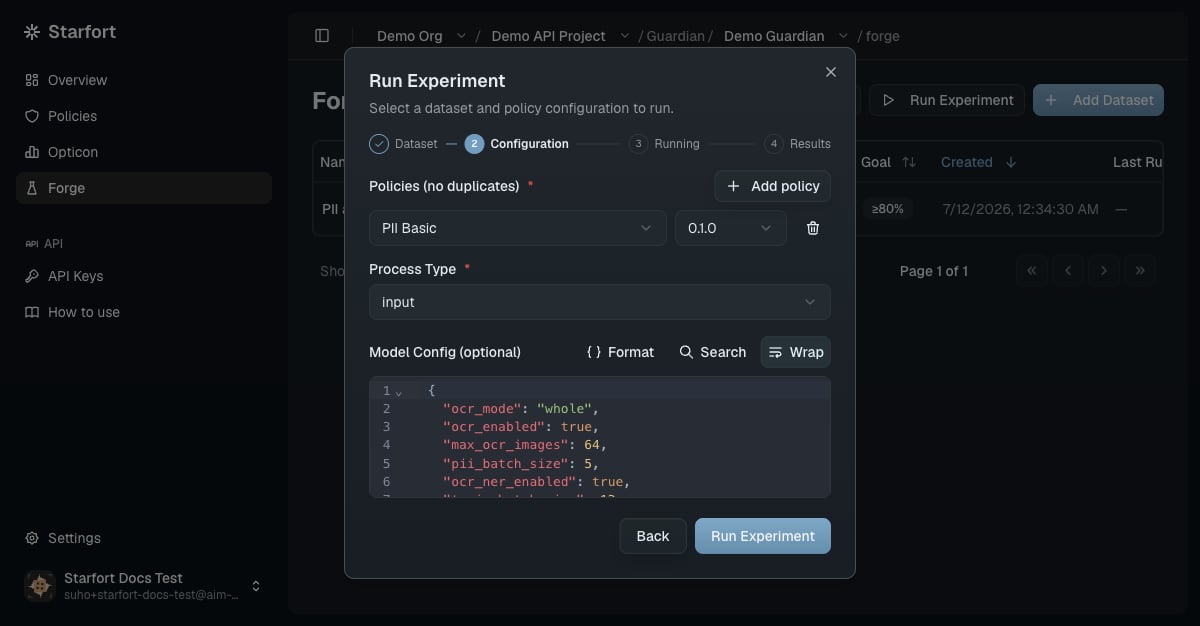
Configuring an Experiment — a policy pinned to one version, the process type, and the Guardian's pre-filled model config
RUNNING → COMPLETED or ERROR), then shows its results. Results, traces, and scores are kept permanently, so you can revisit any past Experiment.
How results are scored
Every item is judged the moment its response arrives: expected action vs. actual action, right or wrong. The Experiment then reports:- Total Accuracy — items whose action matched, over all items.
- Pass / Mask / Block Accuracy — per expected-action class, for the classes in the dataset’s Action List.
- PASS / FAIL — only if the dataset has a Goal: Total Accuracy ≥ Goal passes.
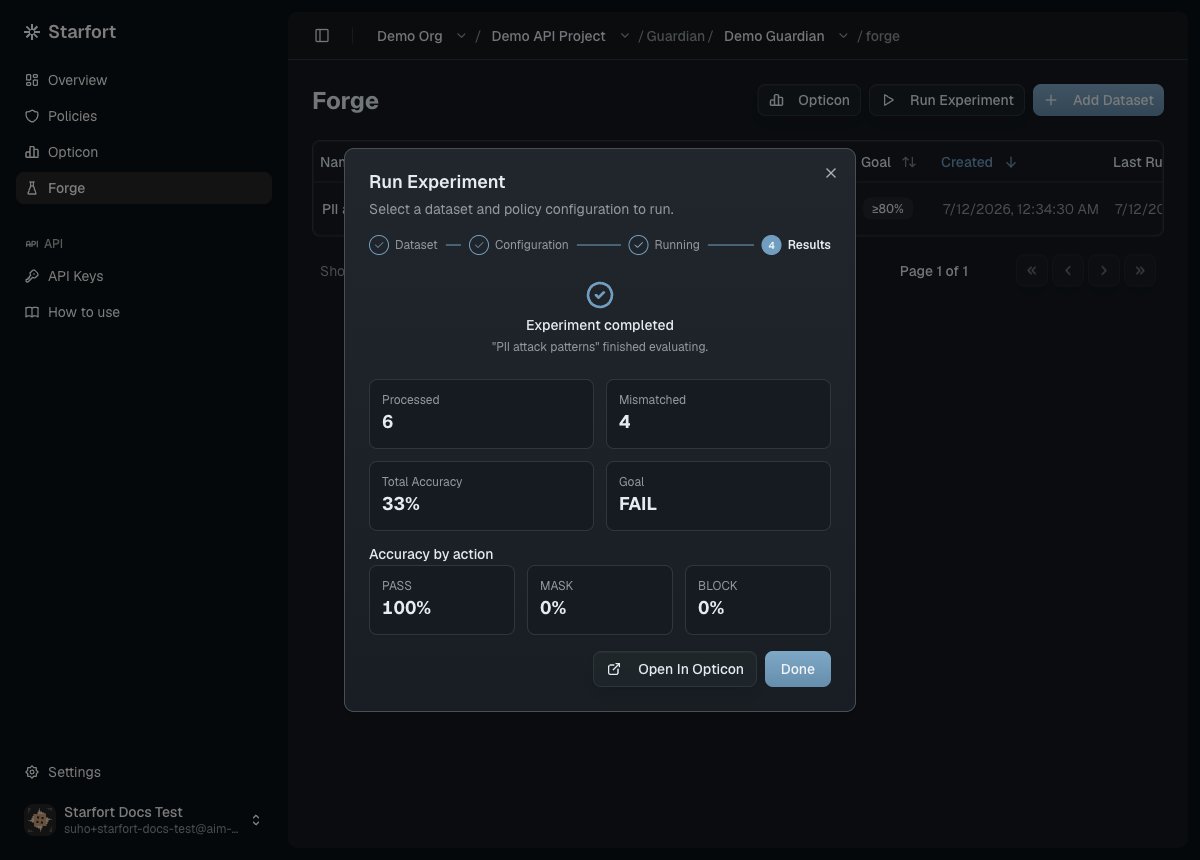
Experiment results — this run failed its 80% Goal, and the per-action breakdown shows exactly where (MASK and BLOCK items weren't caught)
Where results live
Experiment traces are recorded in Opticon — organized as Guardian › dataset › Experiment — and kept strictly apart from production traffic: they’re tagged with theforge environment (production traces are default), the Experiment name as the session, and the dataset name as the user ID. Your PASS / MASK / BLOCK production metrics are never polluted by test runs, and you can filter to exactly one Experiment’s traces. Starfort’s own Experiment history shows only runs triggered from Forge.
Improve a policy from failures
Forge closes the loop that used to require analyzing production traffic after the fact:1
Find the failures
In a low-accuracy Experiment, open the failed items (accuracy = 0) and inspect each trace — input, expected action, actual action.
2
Diagnose
Look for the pattern: a missing PII category, an over- or under-triggering topic.
3
Edit the policy
Fix the Guard Policy and publish a new version — the normal editing and versioning flow.
4
Re-run and compare
Run a new Experiment on the same dataset with the new version. Side-by-side runs show the accuracy delta — and catch regressions before they reach production traffic.
Permissions
v1.4 Forge is text-only and rule-based by design: file/image datasets, LLM-as-judge evaluation, and automatic policy optimization are out of scope for this version.