

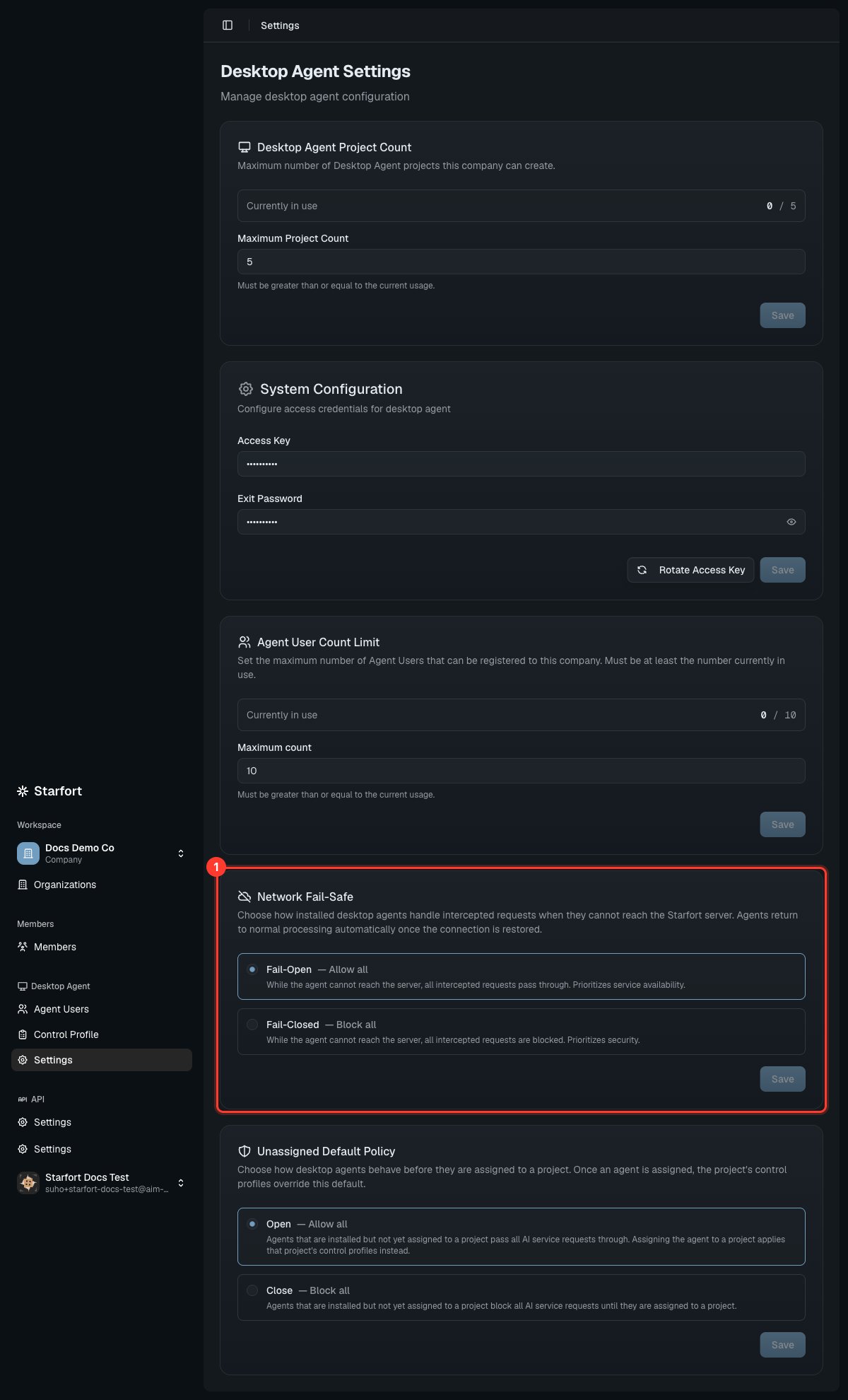
Desktop Agent settings (credentials masked) — Network Fail-Safe highlighted
Access credentials
- Company Access Key — employees enter this to register their Agent. Rotate it to issue a new key and invalidate every existing registration at once: all devices must re-register with the new key before they work again. Rotation is recorded in the Audit Log.
- Exit Password — a single company-wide code a user must enter to quit the Agent. Entering it correctly stops the Agent for the current session only — it restarts automatically on the next reboot. This is a temporary pause, not removal; permanent removal goes through the Uninstaller or a Hard Delete.
Quotas
- Desktop Agent Project Count — how many Desktop Agent projects the company can create. Adjustable within
current projects ≤ new value ≤ system allowance. - Agent User Count Limit — the maximum number of registered Agent Users. Can be lowered only to at or above current usage, and never above the system allowance.
Network Fail-Safe
Controls what installed Agents do when they cannot reach Starfort. This is a single company-wide value — set at the company level (not per project) precisely so that devices not yet assigned to any project are still covered when the network drops. It auto-recovers when the connection returns.Before a device is assigned
How an Agent that is registered but not yet assigned to a project behaves is set by the Unassigned Default Policy (Open / Close) on this screen:
Either way, no Guard Policy is enforced until you assign the device to a project — once assigned, the project’s Control Profiles take over.
These settings appear only when both the system-wide and the company Desktop Agent features are enabled.