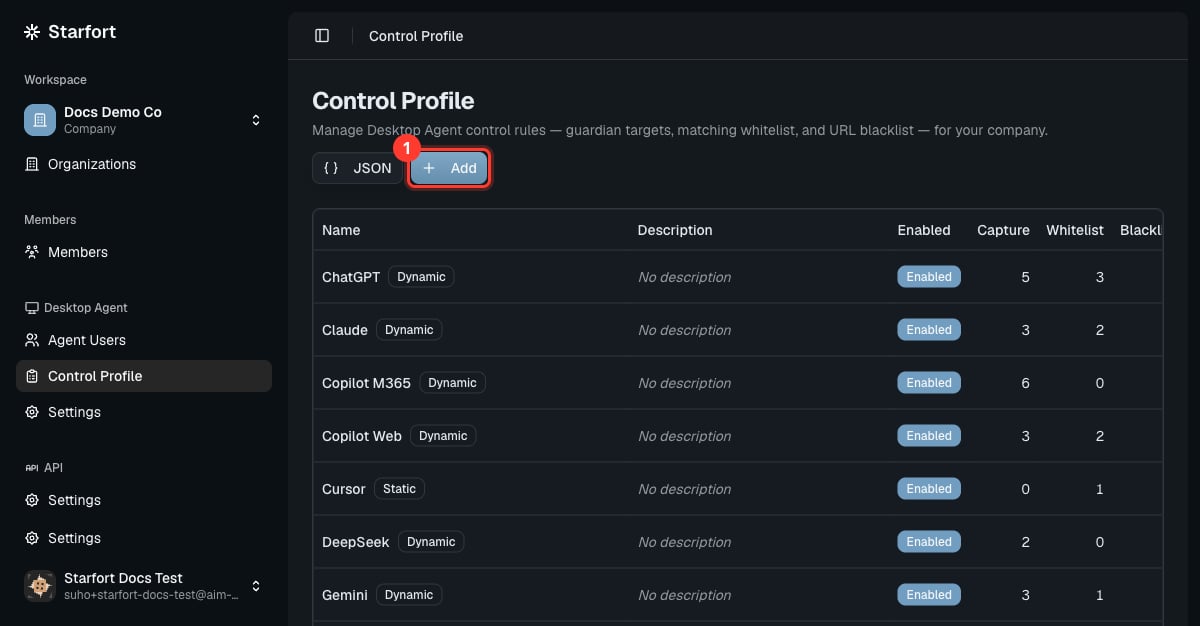
A Control Profile tells the Desktop Agent which AI service to govern and how. Control Profiles are defined at the company level and apply to Desktop Agent projects. Open Desktop Agent › Control Profile to see the company’s profiles. When the company first enables the Desktop Agent feature, Starfort seeds a starter set of profiles for common AI services (ChatGPT, Claude, Copilot, Gemini, Perplexity, Cursor, DeepSeek, Grok, GitHub Copilot, and more). From then on your company fully owns this set: you can edit any profile’s name, description, enabled state, and rules, add and delete profiles, and even import/export the whole set as JSON to move policy between environments.
Control Profile list with the Add button highlighted

What a profile contains

Each profile combines up to three mechanisms:
MechanismPurpose
Guardian targets (capture)URLs/requests the Agent intercepts and sends to the Guardian for evaluation.
Matching whitelistRequests explicitly allowed through.
URL blacklistURLs blocked outright (no evaluation).
A profile is Dynamic when it has Guardian targets (it can call the Guardian) or Static when it only filters (whitelist/blacklist, no Guardian call). This Static/Dynamic type is fixed at creation by whether guardianTargetList has entries, and can’t be changed afterward — to switch, create a new profile. Only Dynamic profiles can be mapped to a Guardian; Static profiles only do their whitelist/blacklist filtering. Each profile has an Enabled toggle. When off, the profile is skipped entirely at runtime — none of the three stages run and no Opticon trace is produced. The rules are kept, just inactive.

Editing

Use Add to create a profile, the row actions to edit/disable/delete, or the JSON view to edit the mechanisms directly. The JSON view lets you replace the whole profile, just the rule (all three mechanisms), or a single mechanism. Saving validates the JSON, checks that each entry id is unique within its mechanism, and enforces the immutable Static/Dynamic type. If two Guardian-target entries that route to different Guardians overlap, Starfort warns you (it doesn’t block the save).

Changes propagate automatically

Any change you make to a profile — rules, metadata, enabled state, or deletion — cascades automatically to every project and Guardian using it; there’s no re-assign step. Deleting a profile detaches it from all projects and Guardian mappings.

Recipes

Add a customized Control Profile

Add / change / remove an AI service