

1. Create & assign the policy
Open your Guardian → Policies → Add on Input Policies → Create & Assign Policy. Name it (e.g.PII Masking Policy), set Policy Type = PII, and create. It starts at v0.1.0 and opens in the editor.
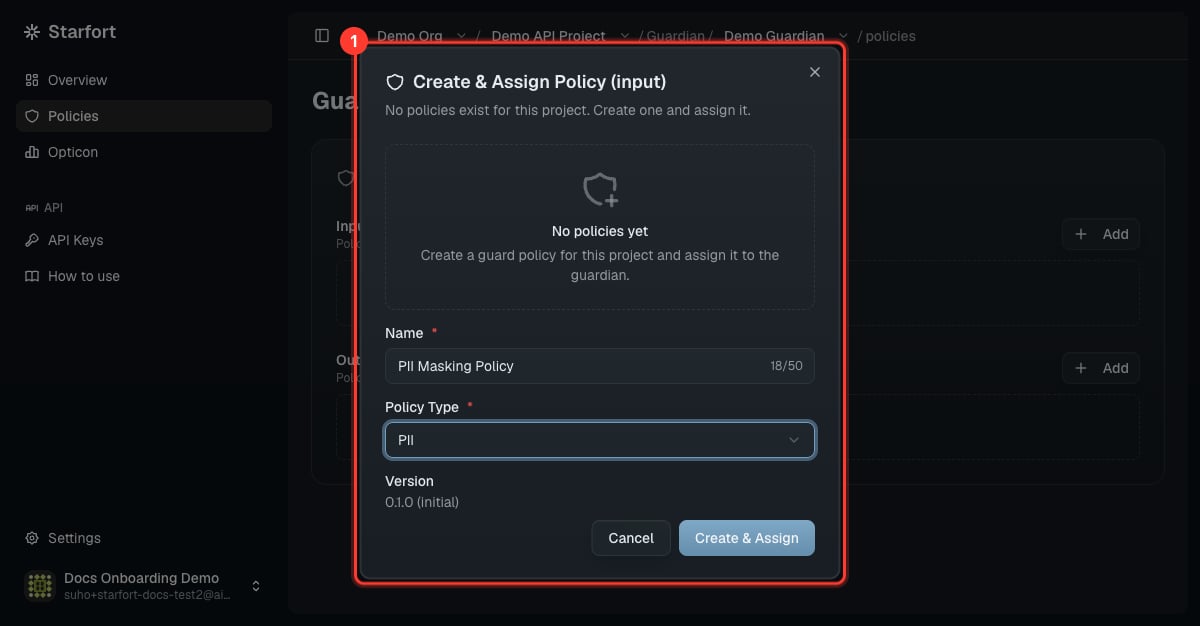
Create a PII policy
2. Add rules
Use Add in the editor to add rules one at a time, choosing the kind:
For masking, set
policy_type: MASKING and a mask word (e.g. PHONE_NUMBER) — matches become [PHONE_NUMBER_1].
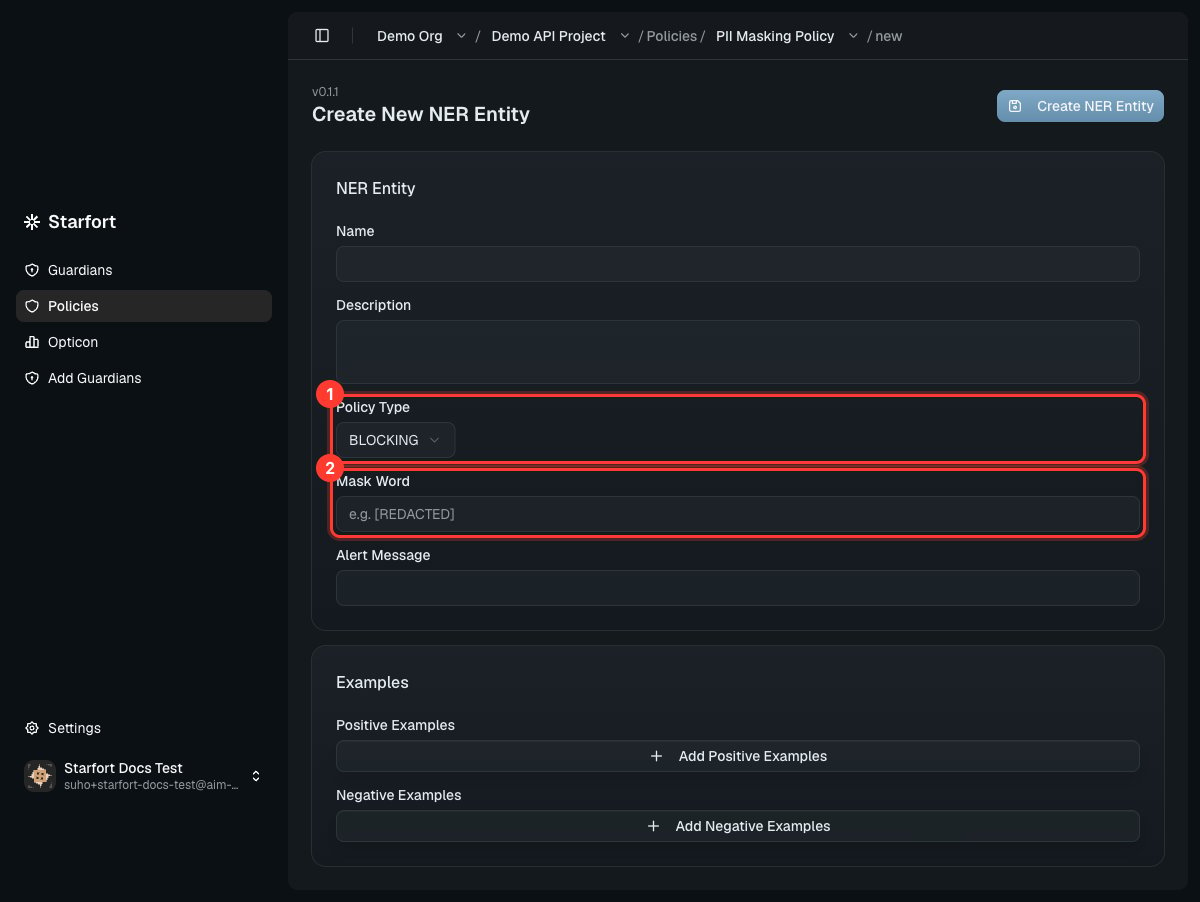
A masking NER rule
Faster: load JSON
Choose JSON to paste a whole policy at once. Allowed top-level keys arener, regex, keyword:
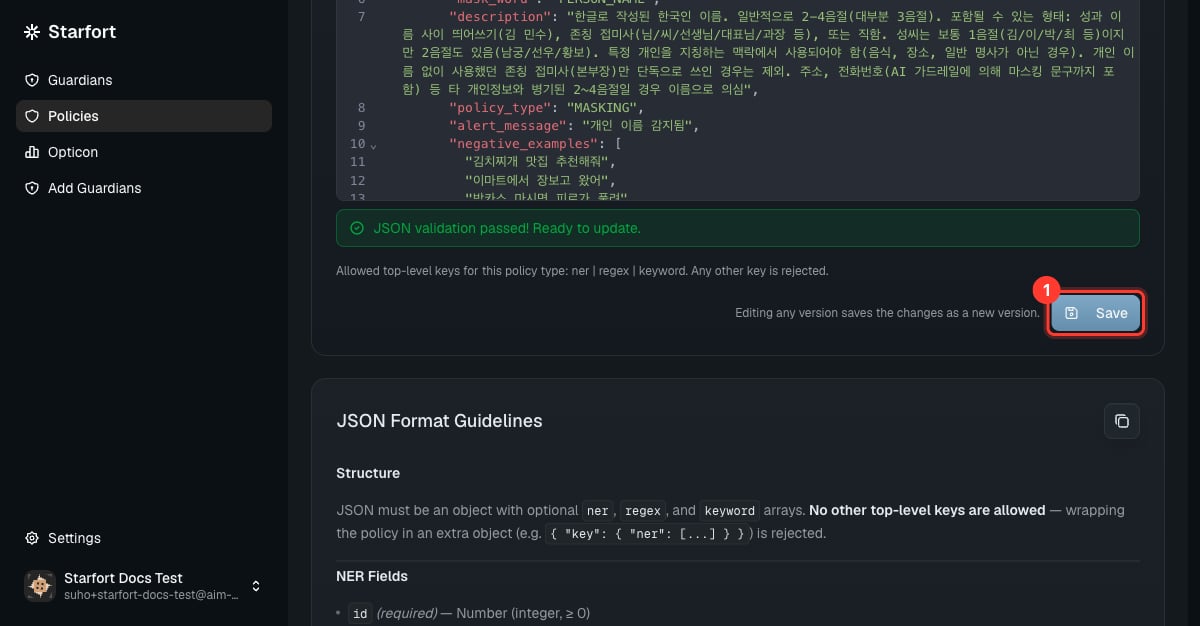
Loading a PII policy as JSON
3. Apply the new version
Saving created a new version (the number only has to be unique for this policy — it needn’t be higher than the last). Saving doesn’t apply it — you must re-point (pin) the Guardian to the new version, or the change won’t take effect. See Version & apply a policy update.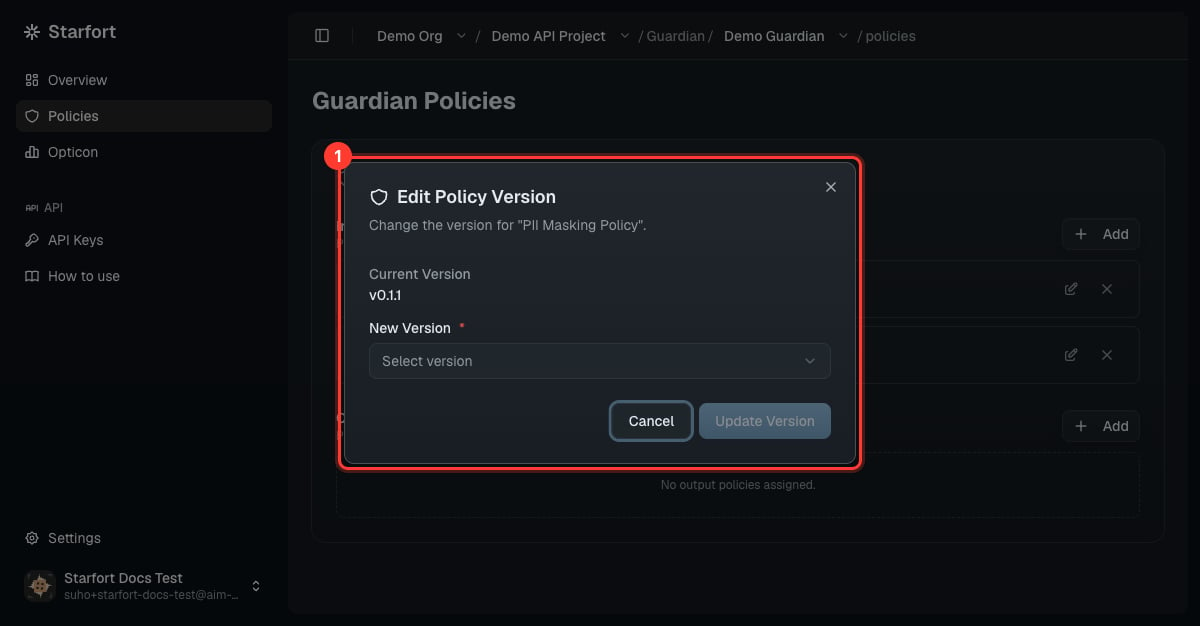
Re-point the Guardian to the new version
4. Verify
Send a test call with PII and confirm it’s masked:"action":"MASK", processed_content with [PHONE_NUMBER_1]) confirms it works. Review it in Opticon.
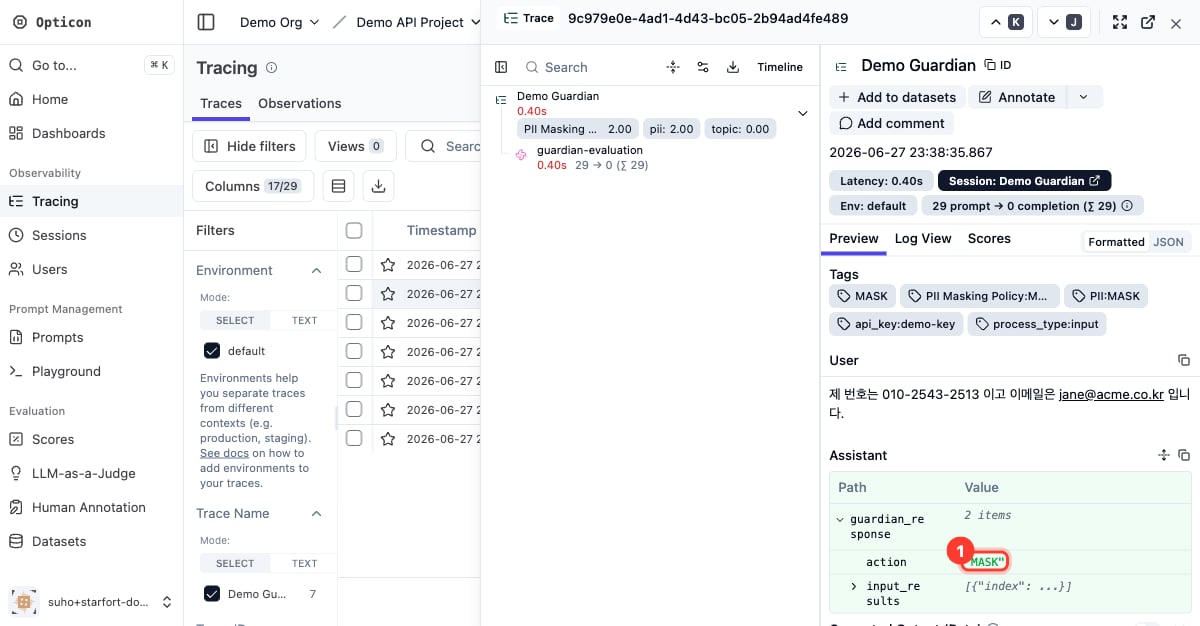
Confirm the MASK in Opticon