

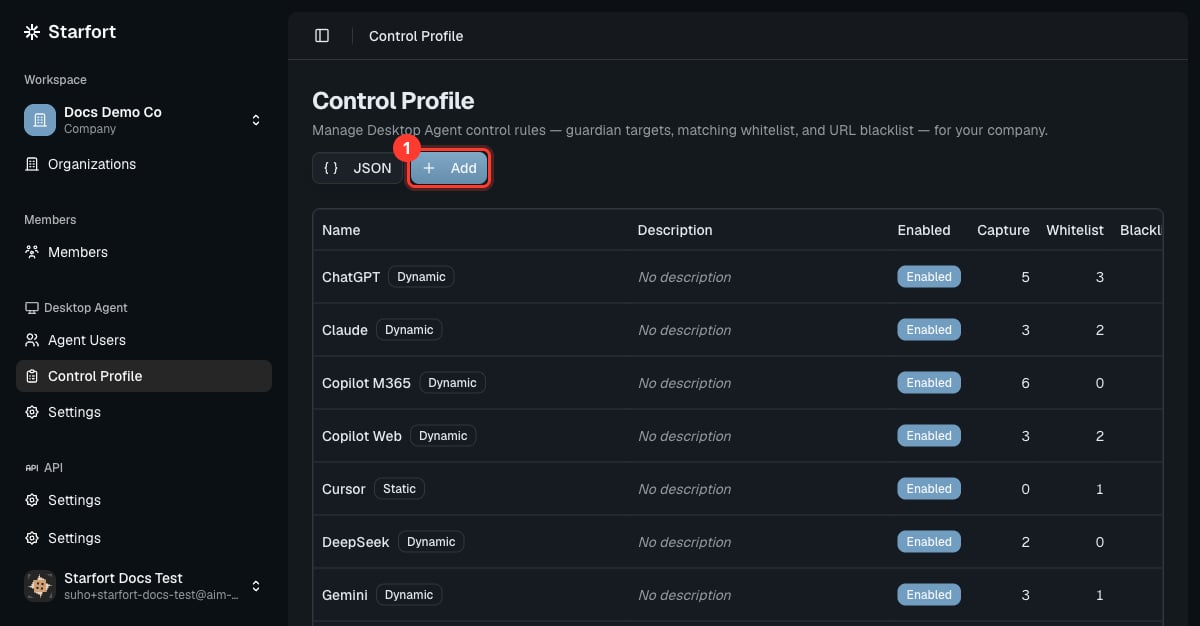
The Control Profile list
Add a new AI service
- Choose Add and name the profile after the service.
- Add its Guardian targets (the request URLs to intercept) so the Agent evaluates it. See Add a customized Control Profile.
- Enable it. Assigned Agents pick it up automatically.
Change how a service is governed
Open the profile (or its row actions) and adjust the three mechanisms:- Allow more — add a matching whitelist entry (e.g. a health-check or login endpoint).
- Block outright — add a URL blacklist entry.
- Change what’s inspected — edit the Guardian targets.
Remove / disable a service
- Disable the profile to stop governing the service without deleting your configuration (recommended — reversible). A disabled profile is skipped entirely at runtime: none of its rules run and no Opticon trace is produced for it.
- Delete the profile to remove it entirely — this also detaches it from every project and Guardian mapping automatically.