

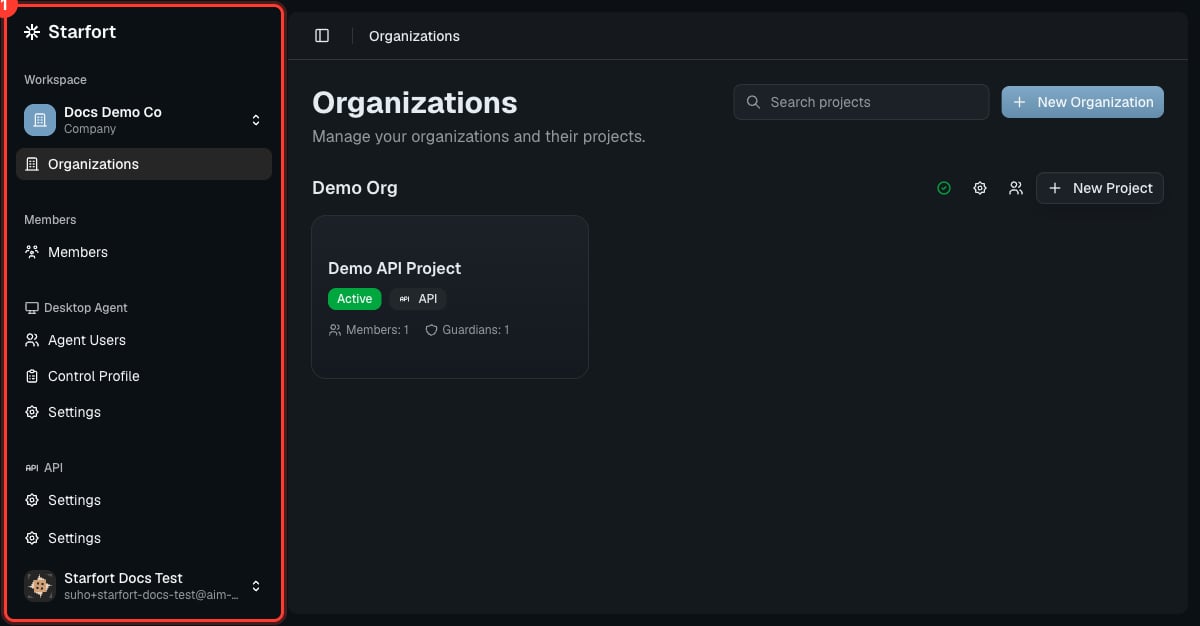
The Console navigation
Navigation map
The Desktop Agent and API areas appear only when that feature is enabled for the company (set at signup and editable in Company Settings). If you belong to more than one company, the company switcher at the top picks which one you’re administering — you choose it at login.
Inside a project
Open a project to manage its Guardians. Each Guardian has its own tabs: Overview, Policies, API Keys, How to use, Settings, and a link to Opticon monitoring. A project’s Settings also hold its Audit Log and the Kill Switch (Danger Zone).Where to go next
Quickstart
Set everything up end to end.